venue management Archives - EventDraw
How Do You Turn Any Space into a Smart Venue?

How Do You Turn Any Space into a Smart Venue?

What keeps event teams stuck in slow, stressful planning cycles even when the space and staff are top-tier?

For many venues, the issue comes down to outdated processes that no longer meet modern expectations. Whether you’re managing a function centre, running a corporate roadshow, or setting up a wedding reception, you’re likely juggling last-minute updates, layout changes, and miscommunications. 

These challenges cost time and create unnecessary stress.

Without a smart venue setup, even the best-equipped teams face friction. It’s like running a major production without a clear script. Everyone is trying to do their job. However, no one is entirely in sync.

Venue managers often struggle to quickly show clients how a room can be styled or scaled. Corporate teams must coordinate internal approvals, logistics, and layout changes across various departments. 

Caterers, AV suppliers, and stylists rely on accurate setups. Yet they are frequently working from vague floor plans or verbal instructions.
As a result, teams face common setbacks that slow everything down:

  • ✅ Confusion builds across departments and suppliers
  • ✅ Delays become harder to avoid as changes stack up
  • ✅ Staff waste time redoing work they thought was already approved
  • ✅ Suppliers arrive unsure of where to set up their operations
  • ✅ Clients feel uncertain because nothing looks final
  • ✅ The pressure rises with every update, and instead of feeling polished and professional, the entire event experience becomes rushed, reactive, and disorganised.


So, what is really causing these breakdowns in event planning?

Why are so many well-equipped spaces still facing basic coordination issues during live events?

It comes down to one core shift: the way we manage events, and how venues use connected technology to stay ahead.

According to PwC’s insight on smart venues, forward-thinking venues are reshaping the guest experience by embracing truly connected systems. With cloud platforms, smart devices, and real-time data, they’re delivering seamless and personalised journeys that blend physical spaces with digital interaction. 
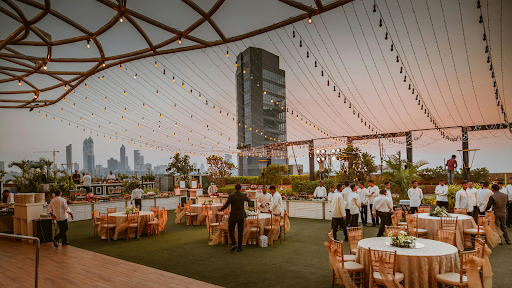
It’s no longer just about managing logistics; it’s about using technology to create experiences that feel intuitive, stress-free, and tailored from start to finish.

Let’s explore how changes in event technology and rising client expectations are driving the shift toward smarter, more connected ways to plan and deliver events.

What is a Smart Venue?

A smart venue is a modern event space that uses connected technologies and embraces innovation to improve how events are planned, managed, and experienced.

These venues are designed to support faster communication, more precise coordination, and more responsive decision-making at every stage of the event.

Instead of relying on manual processes or disconnected systems, a smart venue brings everything together through:

  • ✅  Event technology tools like digital ticketing, mobile apps, and interactive floor plans
  • ✅  Event diagramming software that helps visualise layouts, seating, and setups in real time
  • ✅  Live data feeds from sensors and devices to monitor crowd flow, environmental changes, or room capacity.
  • ✅  Connected platforms that allow venue managers, vendors, and planners to work from the same plan
  • ✅  Automated systems for routine tasks such as check-ins, lighting, or room transitions.
A smart venue is not just about technology for the sake of it. It’s about creating a connected, well-managed space that supports better planning, clearer communication, and more confidence on event day.

Now that you know what a smart venue is, let’s break down the core technologies driving the change. These tools aren’t just trends. They are part of the ongoing technological evolution that supports more efficient and smart event planning across all types of venues.

Top 7 Technologies Every Smart Venue Needs

A smart venue doesn’t just look modern. It operates in a way that solves real planning problems. These venues utilise connected tools that enable teams to communicate, respond more quickly, and achieve better results.

So what makes a venue smart?

It’s the ability to plan more efficiently, adapt quickly, and coordinate effectively, regardless of the event’s size or the number of teams involved.

Here are the top seven technologies helping smart venues stay ahead in a fast-moving event technology space.

1. Event Diagramming Software

Smart venues don’t rely on static PDFs or hand-sketched layouts. They use event diagramming software to build accurate, professional floor plans in both 2D and 3D transparent formats, giving everyone a clearer view of the layout. 

Teams can drag and drop from thousands of furniture pieces to design everything from banquet setups to stage lighting layouts.
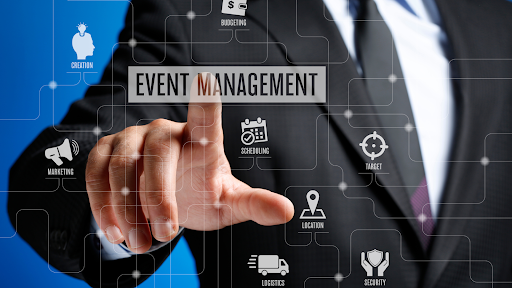
Whether it’s a wedding, conference, or concert, a clear event floor plan helps suppliers, staff, and clients understand the setup instantly without relying on guesswork. 

Plans, including Immersive 3D layouts, can be updated in real time and shared across departments or teams.

One large function centre, for instance, was able to present three floor plan options to a corporate client within an hour using digital diagrams. That simple change helped them close the booking more quickly while keeping the catering team and AV suppliers aligned from the start.


2. IoT and real-time data

Sensors placed throughout smart venues support real-time event monitoring, tracking data like air quality, crowd flow, and equipment usage.

This information enables teams to make informed, real-time decisions. They can open additional entry points, adjust lighting, or respond more quickly when something isn’t working as expected.

Coachella Valley Music and Arts Festival Photo by: www.coachella.com

3. Mobile apps for communication

An event mobile app supports both attendees and staff before, during, and after events.

Guests can check schedules, view interactive maps, and get updates about timing or access points. Behind the scenes, internal teams can coordinate using live alerts, chat tools, and notifications, eliminating the need for in-person regrouping.

MSG App
Madison Square Garden Official App
Madison Square Garden demonstrates this well. Their mobile app provides guests with personalised updates, real-time parking availability, and shorter concession wait times. These features work together to help keep crowds moving and staff better prepared.

4. Augmented and virtual reality (AR/VR)

AR and VR play a growing role in augmented reality events, helping venues tell a story before a single chair is placed.

Clients can take virtual venue tours, explore seating views, or see how their brand activation might look on a full scale.
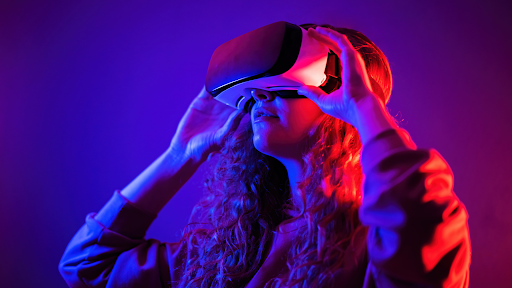
These tools help them feel confident and excited before they even sign off on a setup.

Take Coachella, for instance. The festival blends tech and experience, setting the stage for future-forward formats like virtual reality concerts that extend the live experience beyond physical boundaries. It adds a layer of interaction that enhances attendee engagement, surpassing traditional signage or static programs.

5. Artificial intelligence (AI)

AI tools work alongside venue analytics to personalise the experience for both organisers and attendees. These tools are at the heart of AI event management, where systems can suggest layouts based on past events, recommend crowd flow adjustments, or automate key parts of the setup schedule.

At CES in Las Vegas, AI is used inside the event app to create personalised agendas and suggest sessions or exhibitors based on attendee interests. This turns a massive expo into a curated experience for every visitor.

6. Sustainable venue technology

Sustainable venues are expected to lead the way by using smart systems that reduce environmental impact and improve efficiency.

Many now use smart energy management systems, solar panels, rainwater systems, and energy-efficient lighting.

Others take it a step further by supporting zero waste events, digitally tracking waste output and optimising HVAC usage based on real-time data.
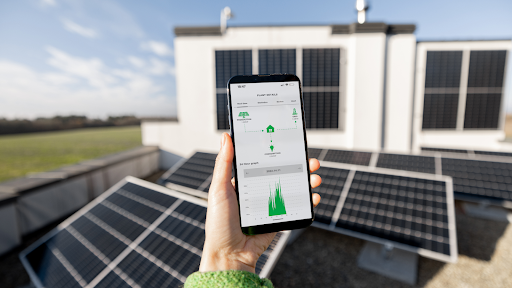
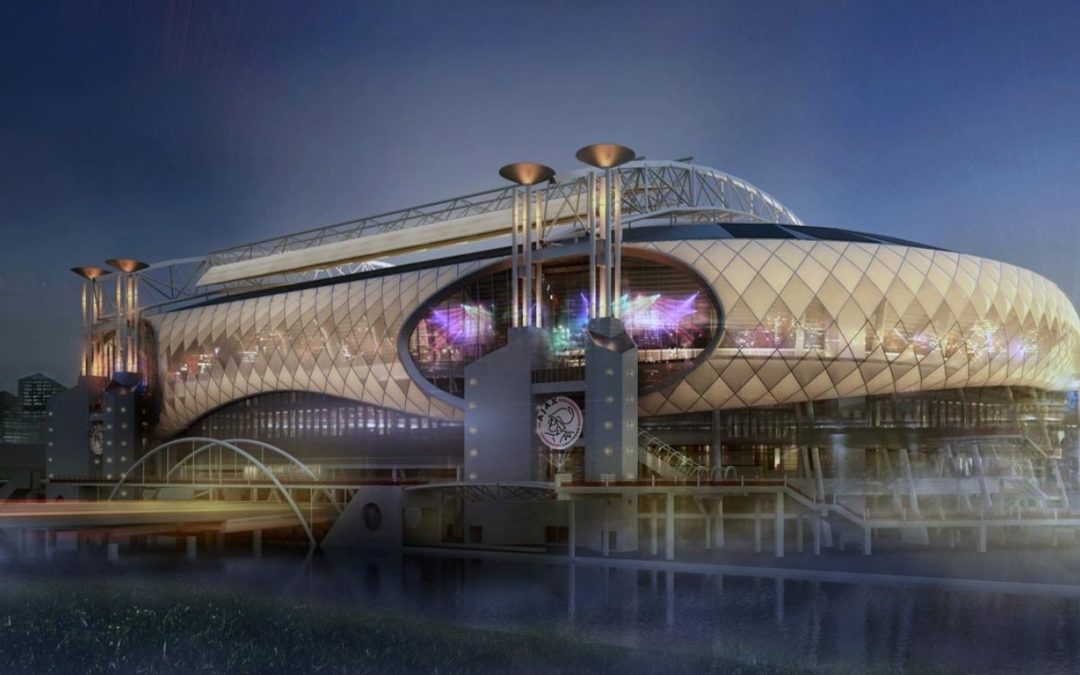
A great example is the Amsterdam ArenA. This stadium incorporates solar power, LED lighting, and an on-site water recycling system, demonstrating how green infrastructure can support major events without compromising performance.

7. Venue management software

Instead of juggling emails, spreadsheets, and sticky notes, a digital venue relies on centralised systems that simplify communication and task management.

These platforms are part of a complete digital event management approach, handling everything from bookings and timelines to vendor communication and room availability.

EventDraw - The Must-have easy to use time-saving solutions for venues and events
One stadium’s events team, for example, manages staff rosters, layout changes, and catering details all from a single dashboard. Even when multiple events are booked back-to-back, the team stays on track without chasing paper trails or rechecking calendars.

The 7 Key Benefits of Using Smart Venue Technology for Better Event Planning

Smart Venue brings teams together, streamlines communication, and supports a more polished, professional experience from start to finish. Whether you’re managing a stadium, styling a wedding, or coordinating internal events, the benefits apply to every type of space and every team involved.

1. Faster and clearer communication

When venue managers, suppliers, and clients can work from the same plan in real time, there’s less room for confusion. Live updates, shared dashboards, and digital collaboration tools reduce the need for constant calls or repeated emails. It keeps everyone aligned without slowing down the process.
2. Better layouts with fewer mistakes

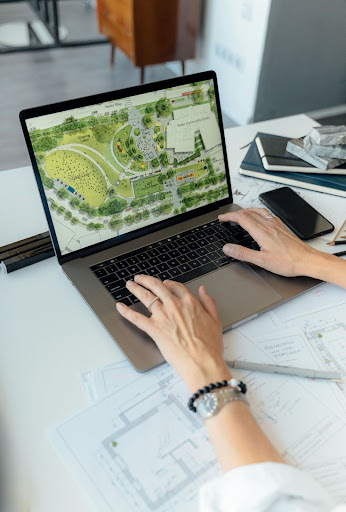
Tools like event diagramming software help you create accurate floor plans in minutes. You can drag and drop from thousands of furniture pieces, use real measurements, and share interactive 2D or 3D layouts. This eliminates guesswork and helps prevent errors in setup or compliance.

3. Centralised venue management

Using venue management software and other event planning tools designed for advanced event management, you can manage venue operations, including bookings, room schedules, staff rosters, and supplier timelines, from a single platform.

This provides a clear overview of all moving parts, reducing the stress of juggling spreadsheets or paper-based plans.

4. More personal guest experiences

Smart venues support audience analytics and real-time data to help tailor the event experience. Whether it’s personalising check-in messages, recommending food options, or adjusting seating zones, small touches make guests feel seen and valued.

5. Smarter crowd management

With live insights from sensors and tracking tools, you can manage foot traffic more easily. Smart venues use this data to reduce congestion, redirect flow, and enhance safety. It helps teams stay ahead rather than reacting too late.

6. Seamless smart ticketing and access

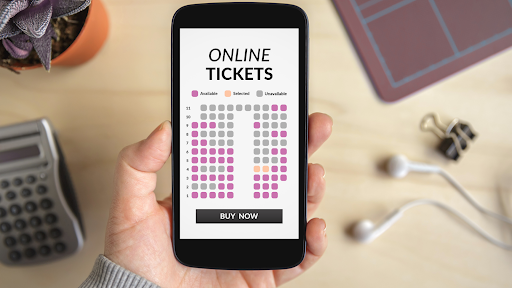
Contactless ticketing, along with other digital ticketing tools, improves the arrival experience by making entry faster and safer.

Attendees receive mobile tickets, check in contact-free, and get real-time updates. This not only cuts queue times but also improves access control and security.
7. Better decisions through event data

A smart venue setup captures valuable data across the entire event lifecycle. From attendance patterns to heat maps and session popularity, these insights help you improve layout design, vendor selection, and marketing strategies in future events.

8. Scalable for any size venue or team

Smart venue systems work just as well in small function rooms as they do in large arenas. Whether you’re running five-person workshops or full stadium shows, the same tools scale with your needs, with no extra effort or complexity.
9. Easier collaboration across departments

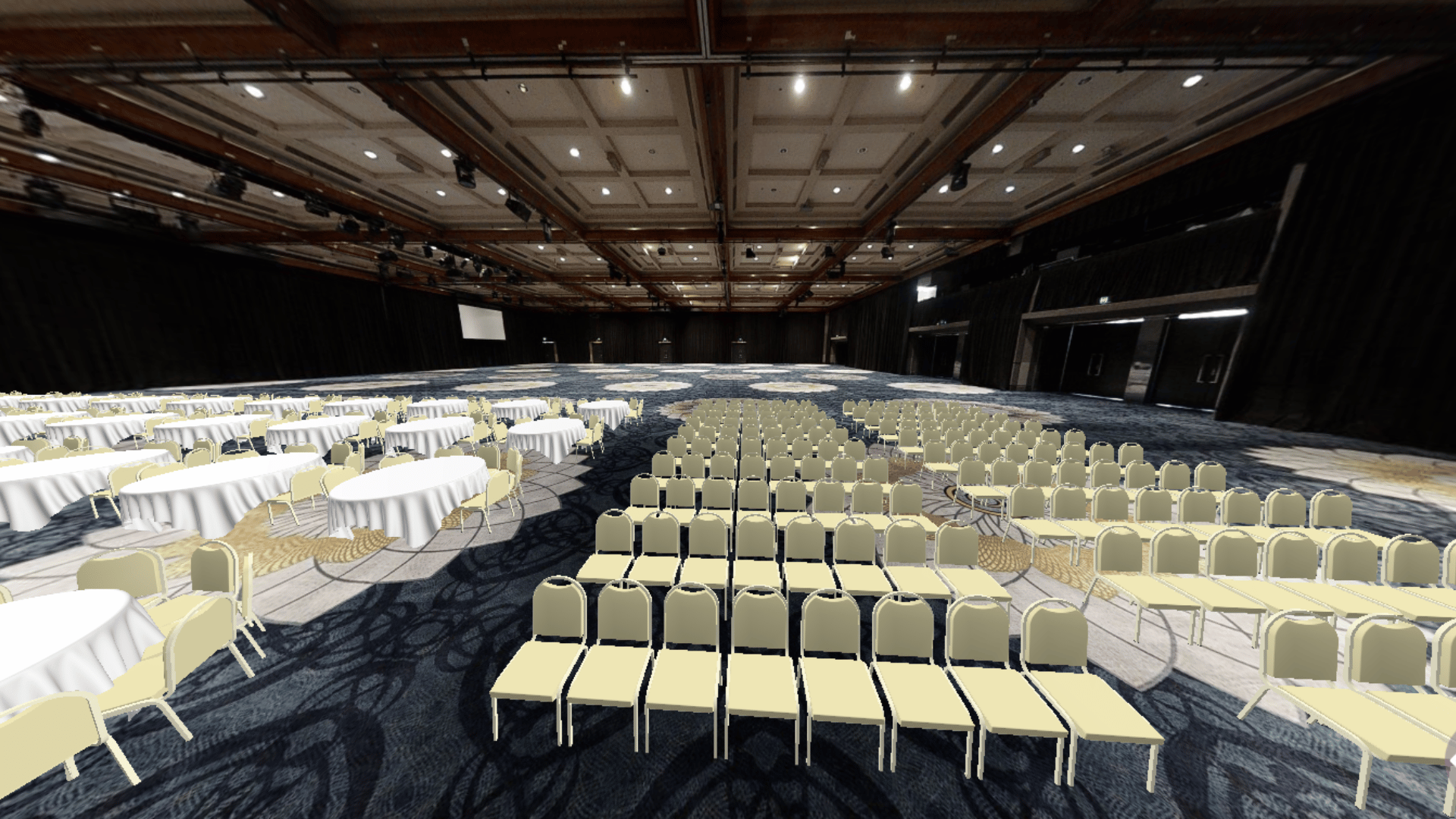
From sales and marketing to catering and AV, smart venues give every department access to the same live plan. This removes the silos that often slow things down and makes cross-team coordination much smoother.

10. Stronger client confidence and satisfaction

Clients feel more confident when they can see real-time layouts, clear timelines, and flexible options. This transparency fosters trust and often helps close bookings more quickly, especially when clients feel included in the process.

How EventDraw Powers Smarter Event Planning?

Smart venue technology only works when your planning tools are just as smart. That’s where EventDraw stands out. It gives you everything you need to create accurate, flexible, and visually impressive floor plans. Everything happens faster, with less guesswork and more clarity.

From layout design to real-time collaboration, here’s why EventDraw is essential for bringing smart venues to life.

1. Build accurate 2D and 3D layouts in minutes

With drag-and-drop simplicity, EventDraw lets you design realistic room setups using true-to-scale measurements. You can switch between 2D and 3D views to visualise your layout from every angle. This helps clients and staff clearly understand how the space will look and function before the event.

2. Access over 5,000 furniture shapes

You can choose from thousands of pre-loaded furniture and equipment items, including banquet tables, staging, AV setups, and more. This speeds up your workflow and ensures accurate planning without needing to start from scratch.

3. Design and save your own custom shapes

For venues with specific needs, EventDraw allows you to create and save your own custom furniture, fixtures, or zones. This feature is ideal for layouts that don’t fit the standard mould or require tailored setup options.

4. Collaborate with unlimited users

EventDraw supports unlimited users. This enables teams, clients, stylists, and suppliers to collaborate in real-time. Everyone has access to the same version of the plan, which reduces delays, duplication, and last-minute miscommunication.

5. Update floor plans in real time

Real-time editing is just one feature that supports event automation, allowing you to make layout changes during walkthroughs, client meetings, or setup days.

These updates are instantly available to everyone involved, which helps keep the entire team in sync and confident in the plan.

6. Support any type of event

EventDraw is flexible enough to support every type of event, from weddings and expos to concerts, council-run forums, and Government & Council community events.

Whether the event is big or small, indoors or outdoors, the platform adapts to suit your layout needs.

7. Track seating and guest details

You can label tables, assign guests, and organise zones for catering, VIP access, or security, all while supporting seamless event attendee tracking across the venue.

This makes it easier to manage crowd movement, assist with ticketing, and ensure a smoother experience for attendees and suppliers.

8. No lock-in contracts

With EventDraw, you are free to use the software as much or as little as you need. There are no long-term contracts, allowing you to scale your usage up or down to suit your venue’s workflow and event calendar.
9. Scales with your venue

Whether you create a few layouts each month or manage thousands per year, EventDraw is designed to keep up. It supports both large and small venues and is designed to handle growing event portfolios without slowing you down.

10. Seamlessly fits into your smart venue ecosystem

EventDraw complements the rest of your event technology stack. It works alongside venue management software, event planning tools, smart ticketing systems, and other digital solutions, helping to connect every part of the planning process in one visual hub.

Final Thoughts: Looking Ahead at the Future of Smart Venues

Smart venues are no longer a concept for tomorrow. They are already reshaping how we plan, manage, and deliver better live events. To operate at this level, it is not just about having connected systems; it is also about having a unified approach to management. It’s about having the right event planning tools that help your team work clearly and confidently from the very start.

So here’s the question:

If your space has the potential to be a smart venue, what’s holding it back from realising its full potential?

Are outdated diagrams, slow approvals, or layout miscommunications still part of your process?

EventDraw combines all the features of leading-edge event diagramming software into a single platform. It complements your broader event technology stack, works seamlessly alongside your venue management software, and provides your team with the flexibility to adapt, scale, and deliver improved results. 

Most importantly, it does this without adding complexity to your workflow. As the industry continues to evolve, so do the expectations of clients, attendees, and internal teams. 

The future belongs to venues that can plan faster, collaborate more easily, and make smarter decisions by leveraging tools like event data analytics and other smart venue technologies.

If you’re ready to step into that future with clarity, confidence, and complete visual control, now is the perfect time to make EventDraw part of your smart venue toolkit.
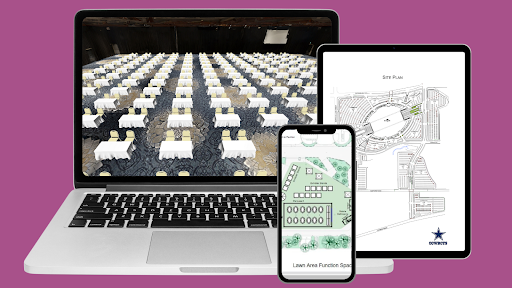
Request a demo with our team today and discover how EventDraw can streamline your planning, enhance collaboration, and bring your smart venue to life.

Frequently Asked Questions

1. What are the most important features of a smart venue?

A smart venue includes connected tools like event diagramming software, IoT sensors, smart ticketing systems, and venue management platforms. These features help improve communication, planning accuracy, and overall guest experience.

2. Can a small venue become a smart venue?

Yes. Smart venue technology scales easily, so small spaces like community halls or boutique function rooms can still benefit from tools like event diagramming software, mobile apps, and digital check-ins without needing a large investment.

3. What’s the difference between event diagramming software and venue management software?

Venue management software helps with bookings, calendars, and resource allocation. Event diagramming software focuses on planning tools, real-time updates, and visual layout design, often including features like 2D/3D floor plans, collaboration, and live edits.

4. Do smart venues help with sustainability?

Absolutely. Smart venues often include energy-efficient systems, digital signage, and waste tracking. Tools like EventDraw also reduce printing, rework, and physical walkthroughs by allowing everything to be handled digitally.

5. How does smart venue technology support hybrid or virtual events?

Smart venues can integrate with AR/VR platforms, live-streaming tools, and digital access systems. This allows planners to design spaces that support both in-person and virtual guests, creating a seamless experience for both.

6. What role does crowd management play in a smart venue?

Crowd management is essential. Smart venues utilise real-time data to monitor traffic flow, identify bottlenecks, and make on-the-fly adjustments to layouts or staffing. This keeps guests safe and improves traffic across event spaces.
7. Can smart venue tools help with compliance and safety?

Yes. With digital planning tools and live updates, venues can ensure layout designs meet safety standards, emergency access rules, and distancing guidelines, all with clear records for compliance checks.

8. How does event diagramming software improve client presentations?

With interactive 2D and 3D layouts, planners can show clients multiple layout options, real-time edits, and detailed setups. This builds confidence, shortens approval times, and helps close bookings faster.

9. What kind of training is required to use smart venue platforms like EventDraw?

Very little. Most modern platforms are designed with user-friendly interfaces, drag-and-drop functionality, and online support. Teams can start planning with confidence in just a few clicks, and there’s no complex setup needed.

10. How does smart venue technology improve ROI for venues?

By reducing time spent on revisions, improving booking conversion, and preventing costly errors, smart venue tools like EventDraw directly improve team efficiency, client satisfaction, and overall profitability.

11. What are hybrid event venues?

Hybrid event venues are spaces equipped to host both in-person and virtual experiences simultaneously. They often utilize tools such as AR/VR, smart ticketing, AI, and event diagramming software to ensure that all attendees, whether remote or on-site, have a connected and seamless experience.

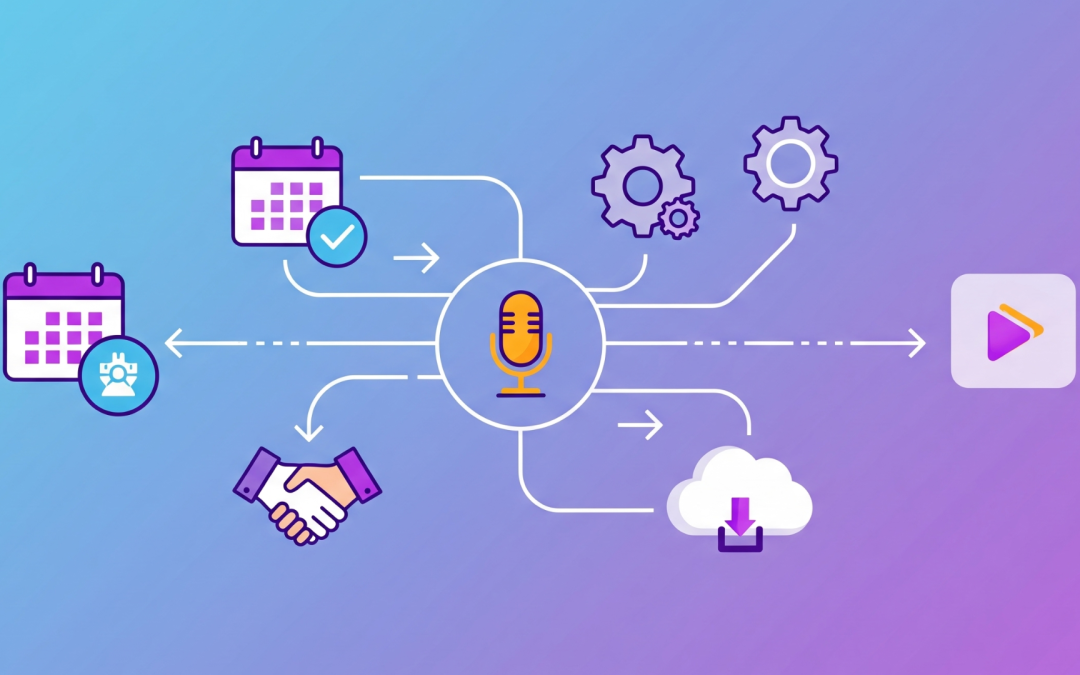
11 Must-Have Tools for Event Management Automation

11 Must-Have Tools for Event Management Automation

Are you constantly juggling bookings, layouts, and endless guest lists?

It can feel like trying to build a puzzle with missing pieces, especially when you’re racing against the clock.

Event planning moves quickly. You’re expected to manage everything precisely, from last-minute venue changes to demanding client expectations. The pressure to deliver is constant, whether you’re organising a Government & Council briefing, a wedding at a Conference Centre, or a massive Stadium and Arena event.

At the same time, digitisation continues to evolve. As Skift Meetings notes in The Future of Mindful Events, “The future of events lies in creating meaningful personal connections. Therefore, technology should enhance, rather than replace, human interactions, making them more valuable and intentional.”

This is precisely where event management automation becomes a game-changer.

So, how do some planners seem to have it all under control?

You know the pressure. You’ve felt the chaos.

But what if you could eliminate the repetitive tasks and focus more on creating standout moments for your clients and guests?

Before we jump into the tools, let’s get clear on one thing:

What exactly is event management automation, and why is it changing the way events are planned?

What is Event Management Automation?

Event management automation refers to the use of digital tools to streamline event planning, management, and delivery.

It connects systems such as event management, event planning, and venue management software to help handle repetitive, time-sensitive, or detail-intensive tasks.

These tools support a wide range of activities, including:

  • ✅ Automatically updating the guest list when registrations change
  • ✅ Managing event registration without the need for manual follow-up
  • ✅ Creating and adjusting event floor plans with accuracy
  • ✅ Coordinating bookings, spaces, and equipment using venue management tools
  • ✅ Setting up seating arrangements based on event type and layout
  • ✅ Hosting sessions or entire programs through a virtual event platform

Automation doesn’t take over the creative side of planning. Instead, it removes delays, reduces mistakes, and frees up time for you and your team to focus on what makes an event seamless.

This type of support is especially helpful in high-demand environments, such as government and council functions, Convention and Exhibition Centres, Stadium and Arena events, and wedding and conference centre bookings.

As events grow in size and complexity, automation is becoming a central part of how venues and planners maintain efficiency, consistency, and preparedness.

Now that you understand event management automation, the next step is to choose the right tools to support your process.

With numerous options available, it can be challenging to know where to start.

That’s why we’ve compiled a list of 11 essential tools, each designed to streamline your workflow, enhance collaboration, and ensure your events run smoothly.

11 Must-Have Tools for Event Management Automation

The right tools don’t just save time; they also enhance productivity. They help you deliver a smoother, more innovative, and more enjoyable event planning experience.

Whether you’re organising a corporate summit, coordinating a Government & Council function, or setting up a concert at a Stadium and Arena venue, these tools give you a reliable system to work with from start to finish.

1. Event Management Software: Your Central Planning Hub

Event management software acts as the foundation of your planning process. It combines all your event details in one place, making it easier to manage every stage with confidence.

You can:

  • ✅  Assign and track tasks across your team


  • ✅  Monitor budgets and spending in real time


  • ✅  Coordinate vendor timelines and responsibilities


  • ✅  Store guest details, preferences, and dietary requirements


  • ✅  Maintain communication logs and update schedules instantly


This tool is handy for events with multiple moving parts. For example, a Performing Arts festival may involve multiple performance times, stage changes, and lighting crews, all of which can be tracked and adjusted in a single shared dashboard.

Likewise, Convention and Exhibition Centres hosting back-to-back expos or large-scale conferences can benefit from a centralised view of space bookings, exhibitor details, and keynote scheduling

2. Venue Management Software: Stay Organised and On Schedule

Venue management software helps venue operators manage bookings, resources, and room availability with accuracy and ease. Rather than juggling spreadsheets or cross-checking calendars, this tool gives you a real-time view of what’s happening across your entire space.

You can:

  • ✅  Automate room bookings and confirmations


  • ✅  View space availability across days, weeks, or months


  • ✅  Allocate equipment, staff, or catering needs to each booking


  • ✅  Prevent scheduling conflicts and double-bookings


  • ✅  Coordinate with multiple departments or service teams


This type of system is significant for venues with high turnover or shared-use spaces. For example, a government and council facility may host a community meeting in one room, run a training session in another, and prepare for a public forum in the evening. 

With venue management software in place, your team can coordinate services, set-ups, and cleaning schedules more efficiently.

In the same way, wedding and conference centres benefit from having all bookings, seating plans, and supplier requirements accessible in one organised platform. This is particularly useful when managing several functions across the same weekend.

3. Event Planning Software: Keep Your Process on Track

Event planning software provides a structured approach for every stage of your planning journey. Instead of relying on scattered notes, email threads, and guesswork, this tool gives you a streamlined, visual system to track what needs to happen and when.

With this software, you can:

  • ✅  Build and manage timelines with clear deadlines

  • ✅  Assign tasks to team members and monitor progress

  • ✅  Organise vendor details and contract approvals

  • ✅  Store contact lists, floor plans, and documents in one place

  • ✅  Centralise communications to reduce confusion

This is particularly helpful for planners managing recurring or multi-day events. For instance, a Performing Arts festival may involve rehearsals, venue changes, media launches, and logistics for opening night. 

With an event planning platform, all moving parts can be scheduled and tracked clearly.

Similarly, corporate teams hosting a product launch or roadshow can benefit from shared dashboards and automated checklists that keep everyone aligned across different departments or locations.

4. Event Registration Platforms: Automate Sign-Ups and Check-Ins

Managing registrations manually can quickly become overwhelming, especially as numbers grow. Event registration platforms take the pressure off by automating the entire sign-up process, from initial interest through to on-site check-in.

With these tools, you can:

  • ✅  Create custom registration forms for different ticket types or guest groups

  • ✅  Send automated confirmation emails and reminders

  • ✅  Track attendee status in real time

  • ✅  Manage cancellations and waitlists with ease

  • ✅  Integrate with your guest list, seating plans, or CRM system

This approach works well for everything from small workshops to large-scale conventions. For example, a Convention and Exhibition Centre may host thousands of guests across multiple sessions. Using an automated system ensures each guest receives the right access pass, session links, and important updates.

Similarly, Wedding / Conference Centers can collect dietary requirements, seating preferences, and RSVP details all in one place, allowing staff to prepare more accurately and personalise the experience.

By taking sign-ups online and automating the process, you gain time back, reduce human error, and create a smoother journey for every guest.

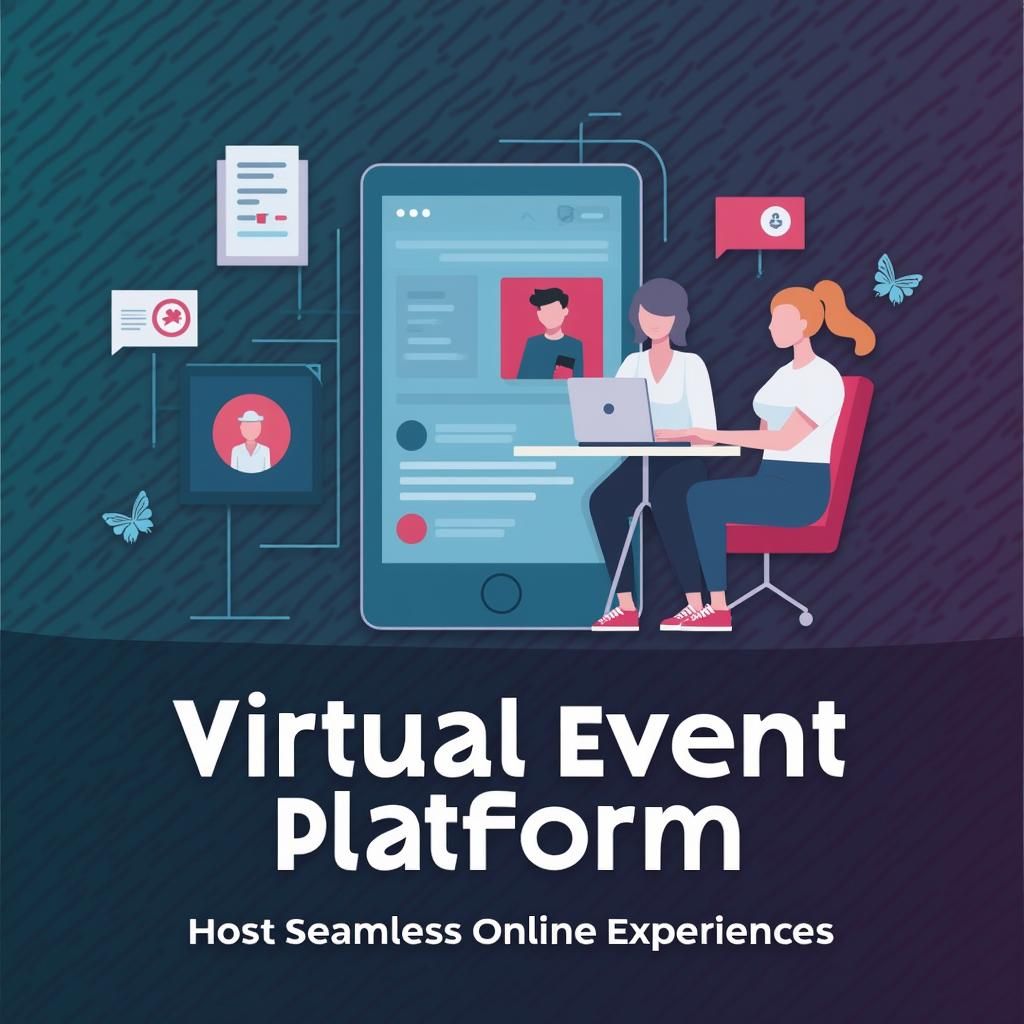
5. Virtual Event Platform: Host Seamless Online Experiences

As hybrid and online events continue to grow, a reliable virtual event platform is essential. It enables you to host professional, engaging, and interactive experiences for attendees, regardless of their location.

These platforms allow you to:

  • ✅  Stream keynote sessions, panels, and performances live or on-demand 
  • ✅  Offer virtual breakout rooms for networking or workshops 
  • ✅  Enable live chat, Q&A sessions, and real-time polling 
  • ✅  Share resources, agendas, and speaker bios in one central place 
  • ✅  Track attendance and engagement analytics throughout the event 

This is especially valuable for events with a broad reach, such as education summits, remote training sessions, or Performing Arts showcases streamed to the public. 

For example, a Universe & Higher Education webinar series can run multiple sessions across different time zones while maintaining a consistent experience for all participants.

Likewise, a corporate conference may incorporate both physical and virtual elements, allowing guests to choose between attending in person or online. The platform ensures everyone has access to the same content, interactions, and support, regardless of location.

6. Attendee Engagement Tools: Build Connections That Last

Keeping attendees engaged isn’t just a nice-to-have. It shapes how people remember your event. Attendee engagement tools enable you to create interactive, two-way experiences that extend beyond passive viewing or attendance.

These tools can help you:

  • ✅  Launch event apps with schedules, maps, and updates
  • ✅  Run live polls, quizzes, or Q&A sessions during key moments
  • ✅  Send push notifications to keep guests informed and involved
  • ✅  Encourage networking through chat groups or virtual lounges
  • ✅  Collect real-time feedback as the event unfolds

These features are handy for high-energy events, such as stadium and Arena functions, or multi-day exhibitions held in Convention and Exhibition Centres. 

At a product launch or trade event, guests may use live polls to vote on which demo they would like to see next, or they may submit questions directly to speakers during presentations.

In a different setting, Performing Arts festivals often rely on mobile apps to deliver real-time updates, showcase behind-the-scenes content, and gather feedback through short post-show surveys. This keeps audiences involved even after the curtain falls.


7. Marketing Automation Software: Save Time While Reaching More People

Getting the word out about your event takes time and effort. However, with marketing automation software, you can handle outreach more efficiently and stay in front of your audience without manually sending every message or post.

These tools allow you to:

  • ✅  Create automated email campaigns for different audience segments


  • ✅  Schedule social media content in advance


  • ✅  Organise your contact list based on behaviour, interest, or role


  • ✅  Track engagement and see what’s working in real time


  • ✅  Trigger reminders and follow-ups automatically


For example, a Casino Resort planning a mid-year gala might use automation to send save-the-date emails, follow up with early bird offers, and schedule final reminders, all without lifting a finger on the day.

In another case, a Performing Arts venue promoting a season of shows could send tailored updates to subscribers, promote specific performances, and boost last-minute bookings with pre-scheduled emails and posts.

8. Feedback and Analytics Tools: Learn From Every Event

Your event might be over, but the learning doesn’t stop there. With feedback and analytics tools, you can capture valuable insights that help you improve planning, delivery, and overall guest experience next time.

These tools allow you to:

  • ✅  Distribute post-event surveys automatically


  • ✅  Collect ratings on speakers, sessions, or venue facilities


  • ✅  Monitor check-in data and attendance across sessions


  • ✅  Measure satisfaction and engagement in real time


  • ✅  Compare performance across multiple events


For example, a Convention and Exhibition Centre hosting a multi-day expo can utilise feedback tools to identify which sessions drew the most attention or which areas had the highest foot traffic.

In a different setting, a Universe & Higher Education event might gather attendee feedback to refine academic content or enhance speaker delivery for future symposiums.


9. Project and Task Management Tools: Keep Your Team on Target

Every successful event starts with a solid plan. Project and task management tools help you organise your workflow, assign responsibilities, and keep everything moving forward, without the need for endless check-ins or scattered to-do lists.

These tools make it easier to:

  • ✅  Break down your event into manageable tasks and milestones


  • ✅  Assign responsibilities to individuals or teams


  • ✅  Track progress in real time with visual dashboards


  • ✅  Set reminders, due dates, and priority levels


  • ✅  Share files, notes, and updates in one place


Let’s say you’re managing a Stadium and Arena event with multiple performers, suppliers, and teams. A task management tool enables each group to view their deliverables, track timelines, and respond to updates in a timely manner.

Similarly, a wedding or conference centre coordinating multiple vendors for back-to-back events can benefit from shared task boards. This ensures that everyone, from florists to AV technicians, knows what is expected and when.


10. CRM Systems: Build Stronger Client Relationships

When it comes to managing leads, bookings, and long-term clients, a customer relationship management (CRM) system gives you the tools to stay organised and responsive throughout the entire journey.

With a CRM in place, you can:

  • ✅  Keep track of enquiries, follow-ups, and booking history


  • ✅  Store contact details, notes, and client preferences


  • ✅  Automate communication such as quotes, reminders, and thank-you messages


  • ✅  Set up workflows to manage repeat business or referrals


  • ✅  Monitor your sales pipeline and see where each client stands


For example, a wedding or conference centre that handles dozens of enquiries per week can use a CRM to personalise communication, log special requests, and ensure nothing gets missed between initial contact and the event day.

Similarly, a government and council facility managing seasonal programs or community events can track recurring organisers, streamline follow-ups, and maintain strong ongoing partnerships.


11. Event Diagramming Software: Visualise and Perfect Your Layout

Planning the layout of your event space is more than just placing tables and chairs, it’s about creating flow, maximising space, and helping every guest feel comfortable and welcome. This is where event diagramming software becomes essential.

What Are the Top 10 Benefits of Using an Event Floor Plan?

What Are the Top 10 Benefits of Using an Event Floor Plan?

What do you do when guests arrive and nothing is ready, no flow, no clear entry, and not enough seats? 

Guests were walking in, and 80 of them had nowhere to sit. The event floor plan didn’t match the room, and there was no time left to make the necessary adjustments.

You planned for 500 guests, but only 420 fit comfortably. That left 80 guests without seats, $12,000 in missed upgrade revenue, and a frantic team scrambling to fix it on the spot.

Whether you’re managing the venue or running the event, these moments are hard to forget.

Planning without an accurate event floor plan is like packing a moving truck without measuring the boxes. Everything looks fine until it doesn’t fit. By that point, everyone’s watching.

So, where do these issues really begin?

In this article, we’ll break down what an Event Floor Plan is, the key benefits of using one, the common challenges event teams face, and how to avoid costly mistakes. 

We’ll also explore how the right tools can help you save time, maximise space, and create unforgettable experiences, without the last-minute stress.

What is an Event Floor Plan? 

An Event Floor Plan is a visual layout of how your event space will be used. It shows the exact placement of tables, seating, staging, signage, entrances, exits, catering stations, AV equipment, and more, all drawn to scale.

Event Diagramming Software

It’s not just a sketch or a rough idea. It’s the foundation of how people will move through the space, where key moments will happen, and how everything comes together on the day.

Think of it like a blueprint for the event. Just as a house needs a floor plan before it’s built, an event needs a clear layout before it takes shape.

Whether you’re setting up for a corporate conference, wedding, council meeting, exhibition, or arena event, the Event Floor Plan is where planning comes to life. It gives structure to creativity and brings your vision into something tangible and shareable.

As Chris Westfall put it in Forbes (2023),
“The key to creating insights (not just sharing them) is designing events around discovery and innovation.”

That starts with a well-planned and well-communicated event floor plan, because every great event begins with a clear understanding of how the space will support the experience.

Why Does an Event Floor Plan Matter?

What happens when you skip the floor plan? You lose money. You lose time. And sometimes, you lose the entire event.

These problems aren’t uncommon, and one of the most extreme examples is the Fyre Festival in 2017.

Sharing Event Floor Plan

Marketed as a luxury escape on a private island, guests paid up to $100,000 for what was promised to be a high-end music and lifestyle experience. 

But when they arrived, the event space was utterly unprepared. There were no proper setups, no signage, no infrastructure, and no clear layout to guide anyone.

As reported by BBC News,
“They turned up to mattresses on rain-soaked floors, meals of cheese slices on bread and their luggage thrown into an unlit car park.”

It wasn’t just a failed event; it became a cautionary tale for the world.

The reality is, without a clear, visual event floor plan, you’re relying on assumptions. And in events, assumptions are expensive.

You’re more likely to:

  • Overcrowd key areas or leave them empty

  • Misplaced stages, signage or supplier setups

  • Missed the opportunity to highlight premium features

  • Waste staff time with last-minute changes and confusion

For venue owners, a well-presented layout supported by reliable venue management software makes your space easier to book and showcase. 

For event planners, it fosters trust, saves time, and ensures things run smoothly.

Most importantly, it gives your team the confidence to deliver the kind of experience that leaves clients impressed and guests talking for the right reasons.

Top 10 Benefits of Using an Event Floor Plan

An Event Floor Plan isn’t just about placing tables and chairs. It’s about how people move, connect and experience a space. 

EventDraw - The Must-have easy to use time-saving solutions for venues and events

Whether you’re managing a local council hall, hosting a large-scale arena concert or designing a dream wedding setup, the right Event Diagramming Software gives you the power to plan with precision and present with confidence.

Let’s look at how each role benefits from using the right tools:

For Venue Managers

1. Visualise the entire layout before setup

Planning in 2D and Immersive 3D helps you walk through the space before a single chair is moved. Spot blocked exits, tight walkways or underused corners in advance. 

For large-scale venues like Casino Resorts, stadiums and arena setups or Exhibition Centres, this clarity prevents overcrowding and enhances guest flow.

2. Scale without limitations

Venue schedules are busy. Whether you’re managing 10 weddings or 100 council events, scalable tools let you create unlimited event floor plans, with unlimited users and no lock-in. This is perfect for high-demand venues that require consistency, speed and flexibility.

For Event Planners and Coordinators

3. Make the most of every space

Drag-and-drop furniture shapes help you quickly test layout ideas. No guesswork. This ensures visibility for speakers, smoother traffic flow, and a more polished look, especially important for conferences, graduation ceremonies or high-profile launches.

4. Avoid costly setup mistakes

Last-minute changes are common. A misplaced stage or blocked access path can derail an entire program. Detailed layouts help you get things right from the start, avoiding expensive on-the-day corrections.

5. Plan seating with confidence

Use an Event Seating Arrangement Solution to assign guests by group, priority or accessibility. Whether it’s VIPs at a government awards night or mixed-table layouts at a conference, every seat has a purpose.

For Stylists, AV, and Catering Teams

6. Eliminate back-and-forth with fast edits

If a client updates the stage layout or requests lounge furniture the day before, you can update the plan instantly. Real-time syncing ensures your team has the most current version, saving hours and reducing errors.

7. Collaborate across your entire team

Everyone sees the same live plan. Stylists know where to place installations, AV knows cable routes, and catering knows where to set up service stations. This alignment means smoother bump-ins and fewer setup delays.

For Corporate Event Teams & Wedding Organisers

8. Present plans professionally

Whether you’re pitching to a board or showing a couple their wedding reception, photorealistic, 3D Transparent visuals sell your vision. These immersive diagrams help decision-makers say yes faster.

9. Adapt quickly to last-minute changes

Do you need to relocate a breakout room, add signage, or reroute guests due to inclement weather? Make the change and share it instantly with everyone involved, ensuring seamless execution even under pressure.

10. Reduce stress during setup

With a clearly labelled floor plan, every team member knows exactly where items are located. No confusion. No delays. This calm, organised setup helps deliver unforgettable event experiences for guests and stress-free days for your team.

Common Challenges Without a Floor Plan

Without a clear Event Floor Plan, even experienced teams can encounter the same problems repeatedly. These issues often don’t show up until the bump-in begins, when there’s no room left for mistakes.

Here’s what can easily go wrong:

1. Overcrowded or underused spaces

When layouts are based on memory or rough sketches, key areas can feel cramped while others remain empty. This affects flow, comfort and overall event impact.

2. Miscommunication between teams

AV, catering, stylists and venue staff may all have different versions of the same layout. This leads to misplaced equipment, wrong setups and wasted time fixing preventable errors.

3. Unclear entry and exit points

Without a mapped plan, guest traffic can get messy. Confusion at entrances or bottlenecks near service areas creates frustration and delays.

4. Last-minute changes that don’t reach everyone

When updates are sent via email or message instead of being displayed visually on a live floor plan, the team often ends up working with outdated instructions.

5. Lost time and lost trust

Every adjustment made during setup costs more than time, it affects how confident your clients feel in your process and your professionalism.

The good news is, these challenges are avoidable.

Why EventDraw Is the Event Floor Plan Solution You’ve Been Looking For

If you’re tired of layout headaches, last-minute chaos, or losing business over poor presentation, this is what a complete Event Floor Plan solution needs to deliver:

1. Drag-and-drop layout design in minutes

No technical skills needed. With EventDraw, you can design accurate 2D and immersive 3D floor plans in just a few clicks. It’s that simple. Choose from over 5,000 furniture shapes or create your own. Your layout is ready before the coffee’s brewed.

2. Unlimited users and floor plans

You shouldn’t have to pay more every time your team grows or you plan another event. EventDraw provides you with unlimited access to users and diagrams, allowing you to focus on planning rather than budgeting.

3. Real-time collaboration across teams

Do you need your venue manager, caterer, and stylist to be on the same page? EventDraw makes that happen. Everyone can view and update the plan simultaneously, no need for back-and-forth emails or miscommunications.

4. Immersive 3D visualisation clients love

Still sending PDF sketches? EventDraw enables you to create stunning, photorealistic 3D plans that your clients can explore. It’s easier to sell your vision when they can see it.

5. Seamless guest list and seating tools

Managing 50 or 500 guests? EventDraw handles your seating with drag-and-drop speed, making crowd flow and access points easy to plan. You can even visualise how seating affects space and mood.

6. Instant layout changes, no delays

Do you need to adjust for a sponsor booth, wet weather, or late RSVP changes? With EventDraw, simply update your plan, and everyone sees it instantly. No versioning chaos. No missteps on event day.

7. Built to scale with your venue

Whether you’re running a Wedding or Conference Centre, a Performing Arts venue, or a full-scale Stadium and Arena, EventDraw fits your space and grows with your business.

8. Perfect fit for every industry

From government and council venues to Casino Resorts and Hotels, Universities, or Convention and Exhibition Centres, EventDraw adapts to any layout style or compliance requirement.

9. Create over 10,000+ plans a year

That’s not a stretch. EventDraw was built to help large teams and venues create thousands of professional-quality plans without slowing down. It’s why thousands of planners trust it globally.

10. Closes deals faster

When you show a professional Event Floor Plan from EventDraw, clients get excited. It builds trust, shows attention to detail, and helps secure bookings on the spot.

Request a demo of EventDraw and see how the right Event Floor Plan helps you avoid costly mistakes and win clients faster.

Frequently Asked Questions

1. How can I make sure my event meets safety regulations and compliance requirements?

Venue safety isn’t just about fire exits. It includes spacing between tables, safe traffic flow, and access for people with disabilities.

With EventDraw, every element is drawn to scale, ensuring your layout meets local safety standards from the start. 

You can also visualise evacuation paths, emergency access zones, and distance rules in 2D or Immersive 3D, giving you peace of mind before setup begins.

2. What if my team is remote or working across different time zones?

Coordination becomes harder when your team isn’t in one place. EventDraw solves this with real-time collaboration. 

Everyone can access, comment, and update the same event floor plan, whether they’re onsite, interstate, or working after hours. It keeps communication clear and eliminates version control issues.

3. Can I quickly show multiple layout options to a client?

Clients often want to see two or three options before making a decision. Manually re-drawing each version wastes time. 

EventDraw lets you duplicate and tweak layouts instantly so that you can showcase a cocktail setup, a banquet version, and a theatre-style arrangement, all in minutes. This flexibility helps clients say yes faster.

4. How do I track and manage guest flow at larger events?

Without a visual plan, guest flow is based on guesswork. That can lead to long queues, overcrowded areas, or poor visibility. 

EventDraw’s Event Diagramming Software lets you map every touchpoint, including signage, entry points, cloakrooms, and service stations, so nothing is left to chance.

5. What if my event has last-minute changes, like new sponsors or weather impacts?

Sponsors may request signage placement. A forecast might force a layout flip. With EventDraw, you can adapt in real time, update the floor plan instantly, and notify your team without delay. No paper reprints. No confusion. Just smooth, professional delivery.

6. Can I manage multiple events across different venues on a single platform?

Yes. EventDraw was built for scale. Whether you’re a Wedding / Conference Centre running back-to-back events or a Casino Resort managing several floor plans across ballrooms, you can store, access, and customise every layout from a single dashboard.

7. How do I reduce planning stress when juggling vendors, timelines, and client expectations?

Event planning is a complex process that involves numerous moving parts. When your floor plan is easy to build, share, and update, everything else becomes easier too. 

EventDraw acts as your central planning hub, replacing cluttered email threads and last-minute guesswork with clarity, confidence, and control.

Dealing With Holiday Stress: An Event Manager’s Advice

Dealing With Holiday Stress: An Event Manager’s Advice

Even if you do everything right, there can still be hurdles during the planning and execution of an event. One of the biggest reasons for holiday stress is not getting everything done, but this doesn’t mean you need to stop. This article will give you some helpful tips on how to keep you from being frazzled by the busy holiday season.

Create an Event Planning Checklist

Make a checklist of all your tasks to finish them in order and on time.

Here’s how:

Start with the most important things first. You might want to use Eisenhower’s Urgent/Important Principle.

The principle states that there are 4 types of tasks:

  1. Urgent and Important
  2. Not Urgent but Important
  3. Urgent but Not Important
  4. Not Urgent and Not Important

Eisenhower’s Urgent/Important Principle is a great tool for prioritizing tasks. The principle states that urgent and important tasks should be done before less urgent or important ones.

The idea behind this principle is that urgent tasks are ones that require immediate attention and are usually related to a deadline. Important tasks are also important because they contribute to the overall success of your event planning.

Urgent and important tasks should always be completed first because when you don’t get them done, they can have a domino effect on other events you’re working on. If you’re late on an important task, it could cause delays with other events that depend on it.

By prioritizing your tasks based on this principle, you can ensure that your important tasks are completed first so that nothing else suffers from their neglect.

Plan ahead!

A smooth, successful event is all about making sure everything runs to schedule.

The holiday rush is in full swing. It’s a time of year that can be stressful for everyone, especially for event managers and venue owners.

The most important thing to remember when planning an event during the holiday season is to plan ahead sufficiently to book the event space and any additional amenities required by your chosen theme. This will allow you to ensure that everything is in order before the big day so that you can focus on other details as they arise.

If you’re an event manager, make sure your clients are aware of how much time is involved in preparing for their events so that they can plan accordingly.

If you’re a venue owner, ensure you have enough staff to handle your guests’ needs well in advance.

Don’t over-schedule yourself.

As a venue owner and event manager, you know that the holiday season is when you can make the most money.

But with all the hustle and bustle that comes with planning events around this time of year, it’s easy to over-schedule yourself—and then find yourself short on time, energy, and resources.

Don’t let that happen! Here are some tips for how to keep your event planning on track:

  1. Schedule appointments for yourself during slow periods so you can take a break from event planning activities.
  2. Make sure all your staff members know their obligations during this busy period so no one gets left behind or stressed out by their workloads.
  3. Make sure your entire team knows exactly what they need to do before the big day so that everyone is prepared and ready to go when it’s time to get started setting up or preparing food/drinks/etcetera for guests who arrive at the door ready to party!

Don’t be afraid to say No!

As an event manager and venue owner, you may feel pressure to accept every event that comes your way. But don’t be afraid to say no.

It’s normal to have a busy season, but if you’re feeling overwhelmed, it’s also important to take some time off. This can be as simple as taking a few days off at the end of the week or scheduling extra time in your calendar for self-care. It’s also important to avoid overcommitting yourself by taking on more events than you can handle. Make sure you’ve got enough staff and everyone knows their responsibilities in advance so you don’t have any last-minute stressors popping up during the event itself!

Take advantage of software to create floor plans. – U

Have you ever planned an event and found yourself stuck with a blank piece of paper, trying to figure out how to visualize how many tables would fit in the room? We know that planning an event can be time-consuming. You want to make sure that every detail is perfect—but sometimes you just don’t have the time to do it yourself.

That’s where we come in! At EventDraw, we know that one of the most time-consuming parts of planning an event is creating floor plans. The good news is that you can create a floor plan in minutes with our software.

You don’t need to be an expert at diagramming or drawing to create beautiful diagrams that help you visualize your event space. All you need is your computer, internet access, and some basic knowledge of how to use the software—and then watch as your floor plan comes together before your eyes!

EventDraw - The Must-have easy to use time-saving solutions for venues and events

So, Are you now feeling the holiday rush? We know it can be a little overwhelming to manage everything that comes with the holidays. So we want to help!

We’re offering a free 15-minute demo of our event diagramming software, EventDraw. Our software helps you plan and organize your events so they run smoothly, and everyone has fun.

Book your demo today!