

How to Build an Event Team that Ensures Planning Success
What’s the hidden cost of building an event team that isn’t aligned?
It’s not just one bad event. It’s the kind of misstep that costs you the next booking, dents your reputation, or erodes client trust before the doors even open.
And the worst part? It rarely starts with something big. It might be a missed update, a misunderstood Event Floor Plan, or one team member working from the wrong version. But when those small mistakes stack up, it’s enough to throw off the entire setup and make your venue look unprepared in front of the client.
Most event teams don’t fail because they’re inexperienced. They struggle because their tools, people, and processes aren’t fully connected.
That’s why it matters how you build an event team.
The real risk isn’t technical, it’s operational. A single breakdown in team alignment can lead to wasted labour, delayed setups, and guest confusion.
Over time, these small issues compound, creating bigger problems that impact your team’s performance and your client’s trust.
Let’s say your venue runs around 15 to 20 events a month, including weddings, conferences, or functions. That adds up to roughly 180 to 240 events each year.
If your team spends just 45 minutes per event fixing layout errors, chasing down seating changes, or clarifying diagrams, that time adds up quickly.
Over the course of a year, you could lose more than 150 hours of productivity. This is the equivalent of nearly four full weeks of paid time spent on rework instead of actual delivery.
And this is more common than you might think. According to Corporate Event News (2024), “only 35% of venues and organisers use purpose-built Event Diagramming Software to manage layouts and seating. Most are still relying on spreadsheets, PDFs, or static diagrams, leaving teams unsupported and clients underwhelmed.”
So here’s the real question:
How do you build an event team that’s equipped, aligned, and ready to deliver layout-perfect results, every single time?
In this article, you’ll discover what it really takes to build an event team that scales confidently, collaborates seamlessly, and performs under pressure, no matter how complex the layout.
What makes an event team truly effective?
Running high-performing events starts with the right team. Whether you’re managing weddings, corporate functions, council events, or exhibitions, your results depend on how well your team collaborates.

It’s the combination of individual skill and collective alignment that leads to consistently smooth and successful outcomes.
This is where smart planning tools like EventDraw help bring structure to your team. When you use Event Diagramming Software to create detailed Event Floor Plans and seating layouts, you give your people a shared visual foundation. It becomes easier to stay aligned, reduce rework, and deliver consistently strong outcomes.
But even the best tools need the right people behind them.
Here are five key traits to look for when building a team that’s ready to scale, collaborate, and make the most of every event planning solution.
1. Availability and commitment
Every successful rollout starts with people who can make time to stay involved. EventDraw is designed to be simple and intuitive, but implementation still requires consistency.
Look for team members who can participate in onboarding sessions, review layouts regularly, and respond quickly when adjustments are needed, without being pulled away by other demands.
2. Deep knowledge of the venue and operations
Smart tools still need human context. People who understand how your space actually functions, from bump-in logistics to lighting, guest flow, and timing, can ensure that every Event Floor Plan is both practical and realistic. Their insight helps translate visual plans into real-world execution.
3. Strong communication across departments
When multiple departments are working from the same plan, clear communication is critical. Your team should include someone who can liaise across functions, ensuring stylists, caterers, AV teams, and coordinators are working from the same version of the diagram.
With tools like EventDraw centralising your plans, this role becomes even more powerful in reducing confusion and last-minute fixes.
4. Natural learners who support others
Not everyone on your team needs to be a tech expert. But it helps to have at least one person who enjoys learning, is curious about new features, and becomes your go-to internal resource.
These team members help others gain confidence in using Event Diagramming Software and play a big role in embedding the tool into your everyday workflows.
5. Confidence with data and digital workflows
If you’re transitioning from spreadsheets or another system, someone needs to ensure that clean data is imported into the new environment. EventDraw makes it easy to create and manage event plans, but the input still matters. A team member who reviews, organises, and double-checks layout details will help maintain accuracy and avoid costly errors down the track.
How EventDraw helps your event team stay aligned and ready
Building the right team is the first step. Supporting that team with the right tools is what keeps everything on track.
EventDraw is designed to make event planning simpler, faster, and more collaborative, so your people can focus on delivering unforgettable experiences.
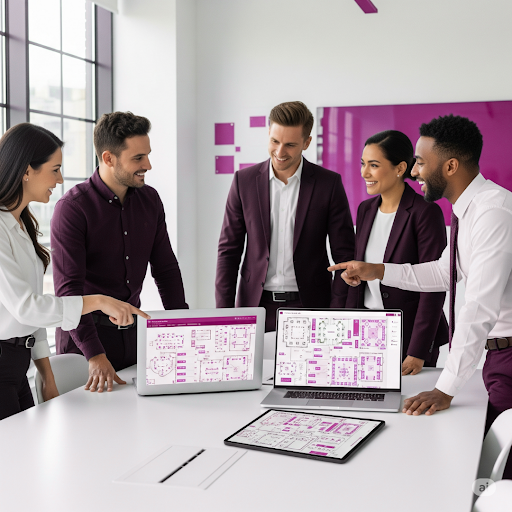
Here’s how its features directly support your event team:
a. Immersive 3D and 2D Event Floor Plans
Empower your team to visualise layouts clearly and accurately. With drag-and-drop tools, they can build seating arrangements, place furniture, and map out spaces within minutes, no technical background required.
b. Real-time updates and shared access
Everyone sees the same plan at the same time. EventDraw allows unlimited users to collaborate on layouts in real time, keeping stylists, AV teams, and coordinators entirely in sync with the latest version.
c. 5,000+ furniture shapes and custom design tools
Your team can recreate your actual venue with precision. Use custom shapes and thousands of furniture items to reflect your unique floor plan, ensuring accuracy from the first setup to the final pack-down.
d. Unlimited plans and events, no lock-in
There’s no cap on what your team can create. Whether you run 20 or 2,000 events a year, EventDraw scales with you, giving your team unlimited flexibility without long-term contracts or extra costs.
e. Built-in guest list and seating management
Simplify seating assignments across weddings, conferences, and functions. Your team can manage large guest lists, update tables instantly, and track preferences in one place.
f. Seamless team collaboration
EventDraw supports cross-department coordination. It acts as the visual source of truth for everyone involved, such as venue managers, wedding coordinators, stylists, AV crews, and more.
g. Easy onboarding and internal champions
Because EventDraw is intuitive, natural learners on your team quickly become internal experts. This reduces training time and helps your A-Team roll out new layouts and events faster.
What success looks like when your team and tools are in sync
Picture a Wedding and Conference Centre that delivers more than 200 events each year, from elegant receptions to large-scale corporate functions.
In the past, their team used separate tools for layouts, seating, and guest lists. Floor plans were managed in static files, which often led to delays and miscommunication between departments. Although the team was experienced, the planning process felt slow and reactive.
That changed once they built a focused A-Team and implemented EventDraw across all departments.
Now, every team member works from a single, shared Event Floor Plan. Layouts are easy to adjust, guest seating is updated in real time, and the venue presents immersive, photorealistic diagrams that help clients visualise the space with confidence.
The team collaborates with less back-and-forth and more clarity. Setup is quicker. Communication is smoother. And clients walk into events feeling supported from day one.
This is the kind of outcome that’s possible when your team works together, and your software supports every step of the process.
Final thoughts: Is your team built for scale or just getting by?
By now, you’ve seen what happens when the right system supports the right people.
But here’s a question to consider:
Are you making it easy for your team to succeed or just asking them to figure it out as they go?
When you build an event team that works well together, the next step is giving them the clarity, structure, and confidence they need to deliver every time. That’s where professional-grade Event Diagramming Software makes all the difference.
With EventDraw, your team gets more than just drag-and-drop layouts. They gain a central planning tool that makes collaboration faster, onboarding simpler, and client approvals easier.
Every Event Floor Plan becomes a shared visual reference, one that removes the guesswork and helps your team stay focused where it matters most.
So ask yourself:
- Is your current process helping new team members get up to speed quickly?
- Can your client-facing staff present diagrams that build trust and close bookings faster?
- Do you have a system that actually supports scale, or just something that gets you by?
If the answer to any of those is unclear, it might be time to try a better way.
EventDraw is the Event Seating Arrangement Solution that helps your team align, grow, and perform at their best, whether you’re running a single Wedding Centre or managing multiple venues across a large organisation.
Ready to see it in action?
If you’re serious about building a high-performing event team, it’s time to give them the tools to match.
Request a demo to see how EventDraw can simplify your planning, strengthen team collaboration, and create stunning, professional Event Floor Plans in minutes.

Frequently Asked Questions
1. How does EventDraw help onboard new team members faster?
EventDraw is designed to be simple and intuitive, even for first-time users. With visual tools, drag-and-drop functionality, and easy navigation, new team members can start creating Event Floor Plans without long training sessions.
This reduces downtime and helps your A-Team get aligned from day one.
2. Can EventDraw help us document and standardise our internal event planning processes?
Yes. EventDraw lets you create reusable floor plan templates for recurring events or standard layouts. This gives your team a consistent starting point, saves time, and helps onboard new staff with clearly defined planning workflows.
3. How does EventDraw support event teams that manage multiple venues or departments?
EventDraw allows unlimited users and plans, which makes it easy for large teams to collaborate across departments or multiple sites.
Whether you’re managing a Convention Centre, University campus, or Casino Resort, your staff can access and update Event Floor Plans specific to each space without needing separate systems.
4. Does EventDraw reduce the reliance on printed diagrams and manual approvals?
Absolutely. With Event Diagramming Software like EventDraw, your layouts are fully digital and can be shared instantly with team members and clients.
This reduces printing costs, eliminates back-and-forth email approvals, and speeds up decision-making across the board.
5. Can we use EventDraw during live setup or bump-in?
Yes. Many teams use EventDraw as a live visual reference during bump-in and event setup. Your staff can pull up the latest Event Floor Plan on tablets or laptops, which ensures that furniture placement, guest seating, and technical setups are executed accurately and efficiently.
6. How does EventDraw help sales and client-facing teams?
When sales teams use EventDraw, they can present photorealistic 3D layouts that help clients visualise their event. This builds confidence, improves conversion rates, and allows sales staff to answer client questions clearly without needing technical assistance.
7. What happens if we outgrow our current planning process, will EventDraw still scale with us?
Yes. EventDraw was built to support growth. Whether you start with one venue or expand to manage hundreds of events per year across multiple teams, EventDraw can scale with no user limits, no cap on event plans, and no lock-in contracts.
It’s built for flexibility at every stage of your business.