How to Design Your Event Venue?
Why do some venues stay fully booked while yours stays overlooked?
It’s frustrating, isn’t it? You’ve got the space, the charm, maybe even the views. Yet planners still hesitate to commit. It’s like handing someone a jigsaw puzzle with half the pieces missing. They just can’t see how it all fits together.
This is precisely why knowing how to design your event venue becomes a real game-changer. It’s not just about making it look good. It’s about making it function effortlessly so your space works for weddings, conferences, exhibitions, and more.
According to Emerald Insight, “business events have specific venue requirements, ranging from extensive, accessible space for exhibitions to numerous rooms for plenary and syndicate conference sessions.”
If event planners can’t instantly visualise how that works in your space, they will move on. They’ll choose the venue that makes it easy to say yes.
So what’s holding you back from being that venue?
Let’s find out.
What does it mean to design your event venue?
Designing your event venue involves creating a detailed plan for how the space will be utilised during the event.
It involves mapping out the layout, seating arrangement, guest flow, staging areas, entry and exit points, signage, and key functional zones.
It also includes selecting visual elements, such as colour schemes, furniture styles, and decor, that align with the event’s theme or purpose.
In short, it’s the process of turning a space into a well-organised, event-ready environment.
5 reasons why venue design matters
1. It helps clients visualise their event
A clear, functional layout gives planners instant clarity. They can see how the space works, where guests will move, and how everything will fit. This boosts confidence and speeds up decision-making.

2. It makes the venue easier to navigate
Smart design supports natural flow. Guests won’t get lost. Vendors won’t be blocked. From the entry to the exit, every step feels seamless.
3. It reduces last-minute stress
When everything’s planned, there’s no need to guess where things go. Setups happen faster. The number of questions is fewer. Everyone’s on the same page.
4. It turns your space into a selling point
A beautiful venue might get attention, but a well-designed one gets bookings. When the layout works, clients feel confident saying yes.
5. It builds confidence in your brand
Showing that your venue is adaptable, organised, and event-ready reflects well on your business. It tells clients they’re in capable hands, without you having to say a word.
How to design your event venue based on venue type
Different venues present various challenges and expectations. Here’s what to focus on when designing the layout and setup based on your specific space.

1. Government & Council buildings
Designs should be adaptable, regulation-friendly, and inclusive.
These venues often serve as civic or heritage spaces, so layout planning must prioritise accessibility, safety, and flexible usage. Tools that allow easy floor plan adjustments make it simple to accommodate public forums, ceremonies, and multi-room sessions.
2. Casino Resorts and Hotels
The focus is on delivering a polished, high-end experience.
From gala dinners to networking events, each area must flow seamlessly. Prioritise zoning by clearly defining dining, entertainment, and registration areas. Using software that supports photorealistic visuals and custom layouts enables you to present multiple configurations tailored to different event types.
3. Universities & Higher Education campuses
Spaces are multipurpose and need quick transitions between formats.
Plan for open halls, lecture theatres, and breakout areas that may host academic or corporate audiences. Using layout tools with drag-and-drop features makes it easy to test setups for expos, panel talks, or formal dinners without having to start from scratch each time.
4. Performing Arts centres
These spaces come with existing technical structures that can’t be changed.
Designing around fixed stages, lighting rigs, and sound zones requires careful attention to seating flow and backstage access. Interactive planning tools with zone control and visual previews help you strike a balance between guest experience and technical logistics.
5. Stadiums and Arenas
These large-scale venues need clear direction and crowd control.
Design should account for multiple entry points, queue management, vendor stations, and security zones. Using software that enables full-scale, layered mapping helps you test traffic flow and safety compliance before the bump-in.
6. Convention and Exhibition Centres
These are blank canvases that demand clear organisation.
You’ll need to design layouts that break the space into structured zones for booths, lounges, food stations, and seminar areas. Reusable templates and grid-based planning tools help save time and maintain visual consistency across multiple events.
7. Wedding / Conference Centres
These venues should feel personal yet professionally planned.
Layouts must adapt to different themes, seating styles, and back-to-back bookings. Simple design features, such as pre-set seating arrangements, mood boards, and shareable visual previews, help planners choose the best setup faster and with more confidence.
Step-by-step: How to design your event venue layout
When you prepare your venue for events, the layout matters more than you might think. The proper setup can enhance client confidence, streamline the bump-in process, and create a more positive guest experience.

Here’s a simple, step-by-step process to help you maximise the potential of your space.
Step 1: Know what type of event you’re supporting
Every event comes with different requirements.
Weddings, corporate functions, exhibitions, and awards nights each need their approach. Understanding the event type helps you prepare layouts that meet client expectations and reduce time-consuming customisations later.
Step 2: Identify capacity based on your layout
The number of attendees affects how your space will function.
It’s not just about how many people you can legally fit, but how comfortably they’ll move, sit, eat, and interact. Use clear capacity ranges for different seating styles, allowing clients to choose the one that suits them best.
Step 3: Highlight fixed features in your plans
Show what cannot be moved, so layout planning is easier.
These include stages, columns, built-in bars, lighting rigs, and emergency exits. Including these elements in your standard plans helps clients and planners work confidently within your space.
Step 4: Offer a variety of seating styles
Different clients expect different seating options.
Consider offering layout templates for banquet, theatre, classroom, or cocktail setups. Showing what’s possible for each event type makes your venue feel flexible and well-prepared.
Step 5: Plan for smooth guest flow
Your layout should support natural movement.
Think about how guests will enter, check in, mingle, dine, and exit. Clear walkways, logical entry points, and signposted access areas all contribute to a more professional event experience.
Step 6: Create suggested zones
Help clients see the full potential of your space.
Break your layout into practical zones, such as catering, staging, breakout, networking, or lounge areas. You don’t need to enforce these, but providing examples builds clarity and trust.
Step 7: Provide visual styling suggestions
Let your layout come to life visually.
Support clients with mood boards, sample themes, and styled images that show how your venue transforms. This helps planners see what’s possible in your space.
Step 8: Use digital tools to present layouts clearly
Give your clients a visual plan they can understand.
Event layout planning tools allow you to show 2D or immersive 3D visuals of your space with different configurations. This is especially helpful for interstate clients or planners working remotely.
Step 9: Check for accessibility and compliance
A great layout must also be a safe one.
Make sure walkways are wide enough, exits are marked, and wheelchair access is considered. This not only protects your business but builds a reputation for being inclusive and professional.
Step 10: Save and offer ready-to-use layout templates
Make it easy for your team and your clients.
Having pre-made layout templates for common event types saves time, keeps things consistent, and positions your venue as an easy, organised option.
7 common venue layout mistakes (and how to avoid them)
Even the most impressive venues can lose bookings because of preventable layout issues. These common mistakes could be holding your space back from reaching its full potential.

1. Ignoring guest flow
If guests cannot move around easily, the event quickly feels disorganised.
Crowded entry points, blocked exits, and confusing walkways lead to frustration. It is essential to plan the flow of guests, including how they will arrive, navigate between zones, and exit the venue without any disruptions.
2. Offering only one generic layout
Clients today expect options that suit their specific needs.
If your venue only showcases a single setup, planners may look elsewhere. Providing multiple layout options for different event types and group sizes makes your venue feel flexible and client-ready.
3. Overloading the space
Fitting more tables or booths does not always improve the experience.
When a layout feels cramped or hard to navigate, guests feel uncomfortable. You should focus on balanced spacing, clear visibility, and comfortable movement rather than simply maximising capacity.
4. Forgetting fixed elements
Permanent features must always be factored into the plan.
Structural elements like columns, bars, emergency exits, or built-in tech booths can limit layout flexibility. Including these in every floor plan ensures there are no surprises on the event day.
5. Underestimating the importance of visual planning
Clients want to see how the layout will work before they commit.
Without clear visual references, even a great space can feel uncertain. Using visual planning tools helps clients picture the event setup, which speeds up decisions and builds confidence.
6. Failing to show layout flexibility
A venue that appears fixed can turn potential clients away.
If your space only displays one static setup, planners may assume it cannot support their event needs. Showing variations, such as day-to-night transitions or ceremony-to-reception shifts, makes your venue more appealing.
7. Skipping accessibility and safety checks
Layout decisions also affect safety, not just style.
Failing to consider wheelchair access, emergency routes, or compliance signage can result in legal risks or negative experiences. Prioritising safety and accessibility shows that your venue is both responsible and inclusive.
How to enhance your event layout with styling, lighting, and sound?
Getting your layout right is the first step. However, creating an unforgettable experience means going further. Styling, lighting, and sound are the finishing touches that elevate your venue from functional to desirable.

When presented effectively, these design layers help clients feel more confident, more inspired, and more likely to confirm their booking.
Here’s how to make every part of your layout work harder for your venue.
1. Show styling that supports the layout flow
Styling should support movement, not disrupt it.
Utilise layout-conscious decor and furniture placement to accentuate key areas, such as entrances, lounges, stages, or photo backdrops. Keep walkways clear and seating comfortable while maintaining a visually appealing appearance.
When clients see a styled setup that is both functional and photogenic, your space becomes easier to book.
2. Map lighting into your layout previews
Lighting should be an integral part of the layout, not an afterthought.
Whether you rely on natural light or add custom fixtures, ensure that your lighting plan complements the layout effectively. Spotlighting the stage, warming the lounge area, or framing a ceremony zone with subtle uplighting helps clients visualise the mood and atmosphere.
3. Plan sound and tech placements early
Sound and visual setups influence flow just as much as furniture.
Indicate where speakers, microphones, projectors, and tech tables will go in relation to seating and guest zones. Proper planning avoids overcrowding, sound disruptions, and last-minute adjustments during setup.
4. Guide movement using signage and styling
Wayfinding blends form with function.
Incorporate signage concepts directly into your layout visuals. This includes welcome signs, direction markers, and branded panels that guide guests from the entrance to registration, restrooms, and dining areas.
Clients appreciate seeing these details included in your layout from the beginning.
5. Visualise the full experience for your clients
Clients rarely make decisions based solely on measurements.
They book when they can picture the event coming to life. Offering visuals that combine layout, styling, lighting, and guest flow into a single, cohesive plan makes your venue truly stand out.
Whether it’s a clean 2D floor plan or an immersive 3D walkthrough, this approach builds trust and speeds up decision-making.
How EventDraw can help you design and present your venue layout
Venue owners know that a great layout can win a client, but building and presenting that layout often takes time, guesswork, and repetitive tasks. Whether you manage a Casino Resort, Performing Arts Centre, or Wedding and Conference Venue, your clients expect clarity, speed, and flexibility.

This is where EventDraw makes all the difference.
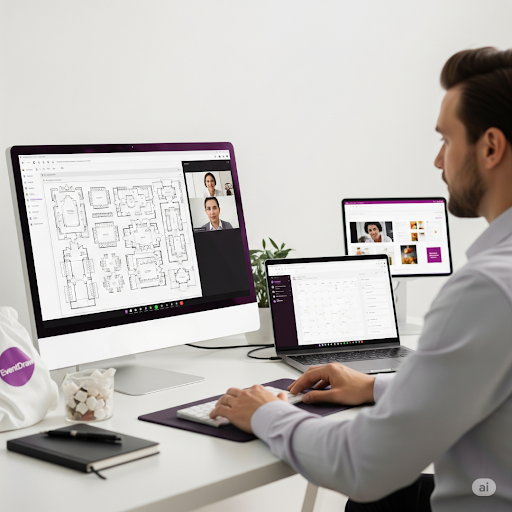
As the leading Event Diagramming Software and Event Seating Arrangement Solution, EventDraw helps you design, customise, and present your space in ways that make bookings easier and planning more professional.
Here is how EventDraw helps you take control of your layouts and attract more clients.
1. Build custom event floor plans in minutes
EventDraw’s drag-and-drop interface allows you to create accurate layouts fast. You can select from thousands of real furniture shapes and use layout templates designed for all major event types. This saves you time and ensures every plan feels tailored.
2. Show your venue with photorealistic 2D and immersive 3D
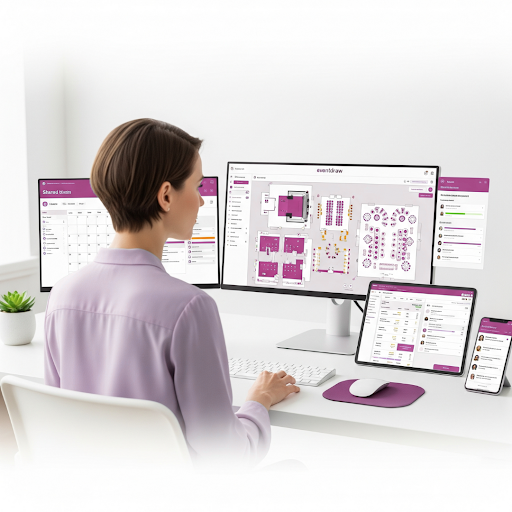
Visual planning is everything. EventDraw gives you the tools to create professional 2D floor plans and stunning 3D previews that help clients visualise their event in your space—even before they visit.
3. Add lighting, styling, and AV setups directly into your plans
With EventDraw, you can include styling zones, AV placements, and lighting layouts right on the floor plan. This gives clients a full-picture view of how your venue supports both function and aesthetics.
4. Switch between multiple layout options instantly
Clients often want to explore several options before making a decision. EventDraw allows you to save and present an unlimited number of layout configurations. You can go from banquet to theatre to cocktail setups in seconds, without redrawing anything.
5. Share plans with clients and vendors in real time
With EventDraw, there’s no need for back-and-forth PDFs or email chains. You can send updated layouts instantly to clients, planners, stylists, or suppliers, keeping everyone aligned and streamlining the approval process.
6. Create unlimited plans with no restrictions
EventDraw offers unlimited users and unlimited layouts. Whether you’re designing 10 or 10,000 floor plans a year, your team can scale without limits. This is ideal for high-volume venues, councils, and convention centres.
7. Present your venue like a professional sales tool
Every layout you share with EventDraw helps close a booking faster. Clients see your venue, understand how their event will work, and feel confident in saying yes. Your layout becomes a powerful sales asset, not just a floor plan.
Final thoughts: What could your venue look like if nothing held you back?
Imagine walking a client through a beautifully designed Event Floor Plan that shows not just where the tables go, but how their entire event experience will unfold.

Imagine being able to respond to layout changes instantly, share plans with zero confusion, and never have to explain the flow of a space again, because your client can already see it in Immersive 3D.
This is precisely what EventDraw delivers.
It is not just an Event Diagramming Software. It is a comprehensive Event Seating Arrangement Solution that provides venue owners with complete control, clarity, and confidence across every booking. Whether you manage a government and council hall, a Casino Resort and Hotel, a Stadium, a Performing Arts venue, or a Wedding and Conference Centre, EventDraw makes it easier to sell your space and deliver standout experiences every time.
So here’s the question:
If your competitors are using clear, photorealistic layouts to win clients faster, what are you risking by still relying on generic PDFs or verbal descriptions?
The next event in your space deserves more than guesswork.
Your clients deserve more than static diagrams.
And your team deserves a tool that brings all of it together.
Ready to turn your venue into the easiest decision your clients will make?
Book a free demo of EventDraw today and discover how easy it is to design, present, and sell your space with clarity and confidence.
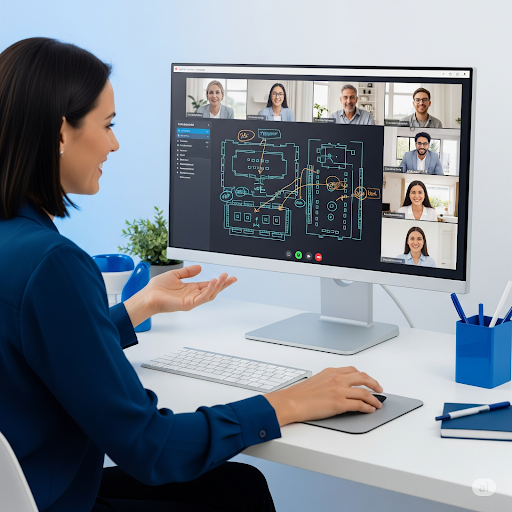
You can also create professional Event Floor Plans from your office or even from home, then share them instantly with planners, stylists, or clients, no printing, no back-and-forth.
If you’re supporting remote planning teams, take a look at the 7 Simple Tips for Event Planners Working From Home and see how using Event Floor Plan Diagramming Software can make collaboration easier and more efficient.
Faqs
1. What if my venue hosts a variety of different event types?
EventDraw is designed for flexibility.
Whether you’re managing weddings, corporate functions, exhibitions, or council events, EventDraw allows you to create and save multiple Event Floor Plans that suit each format. You can switch between layouts in seconds without redrawing from scratch.
2. Can I customise layouts to fit my unique venue features?
Absolutely.
EventDraw includes over 5,000 furniture and layout elements, and it also lets you create your own custom shapes. This is especially useful for Stadiums, Performing Arts venues, and Convention Centres with built-in stages or tiered seating.
3. How does EventDraw help with client communication?
EventDraw makes it easy to share clear, professional layouts.
Instead of emailing diagrams back and forth, you can send updated Event Floor Plans instantly. Clients and suppliers can visualise setups in 2D or Immersive 3D, which means fewer questions, faster decisions, and a more polished experience.
4. Is it possible to show both seating and styling within one plan?
Yes, and that’s one of the most powerful features.
EventDraw is not just a Seating Arrangement Solution. It also allows you to overlay décor, branding, AV placement, and lighting concepts directly onto your Event Diagramming Software layout, providing clients with a clear visual representation of the complete setup.
5. Can EventDraw help my team work faster?
Definitely.
With drag-and-drop planning, unlimited layout templates, and no user limits, your team can quickly build, adjust, and reuse designs with ease. This means more time focusing on your clients and less time managing floor plans.
6. What happens when we need last-minute changes?
EventDraw makes last-minute changes stress-free.
If a client changes their guest count or requests a new layout the day before the event, you can update your Event Floor Plan within minutes and share the revised version instantly.
7. How does EventDraw support multi-room or large venue planning?
EventDraw is built to scale.
Whether you’re managing breakout rooms in a University space or entire exhibit halls in a Convention and Exhibition Centre, you can plan across multiple rooms, zones, or buildings. Everything remains connected in a single, unified system.