event management software Archives - EventDraw
How Do You Turn Any Space into a Smart Venue?

How Do You Turn Any Space into a Smart Venue?

What keeps event teams stuck in slow, stressful planning cycles even when the space and staff are top-tier?

For many venues, the issue comes down to outdated processes that no longer meet modern expectations. Whether you’re managing a function centre, running a corporate roadshow, or setting up a wedding reception, you’re likely juggling last-minute updates, layout changes, and miscommunications. 

These challenges cost time and create unnecessary stress.

Without a smart venue setup, even the best-equipped teams face friction. It’s like running a major production without a clear script. Everyone is trying to do their job. However, no one is entirely in sync.

Venue managers often struggle to quickly show clients how a room can be styled or scaled. Corporate teams must coordinate internal approvals, logistics, and layout changes across various departments. 

Caterers, AV suppliers, and stylists rely on accurate setups. Yet they are frequently working from vague floor plans or verbal instructions.
As a result, teams face common setbacks that slow everything down:

  • ✅ Confusion builds across departments and suppliers
  • ✅ Delays become harder to avoid as changes stack up
  • ✅ Staff waste time redoing work they thought was already approved
  • ✅ Suppliers arrive unsure of where to set up their operations
  • ✅ Clients feel uncertain because nothing looks final
  • ✅ The pressure rises with every update, and instead of feeling polished and professional, the entire event experience becomes rushed, reactive, and disorganised.


So, what is really causing these breakdowns in event planning?

Why are so many well-equipped spaces still facing basic coordination issues during live events?

It comes down to one core shift: the way we manage events, and how venues use connected technology to stay ahead.

According to PwC’s insight on smart venues, forward-thinking venues are reshaping the guest experience by embracing truly connected systems. With cloud platforms, smart devices, and real-time data, they’re delivering seamless and personalised journeys that blend physical spaces with digital interaction. 
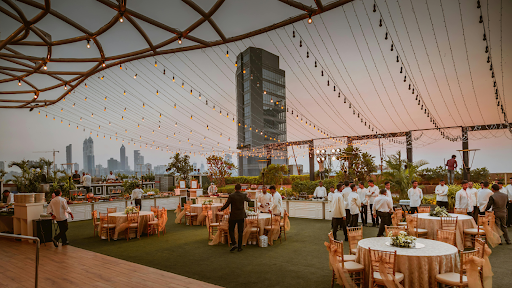
It’s no longer just about managing logistics; it’s about using technology to create experiences that feel intuitive, stress-free, and tailored from start to finish.

Let’s explore how changes in event technology and rising client expectations are driving the shift toward smarter, more connected ways to plan and deliver events.

What is a Smart Venue?

A smart venue is a modern event space that uses connected technologies and embraces innovation to improve how events are planned, managed, and experienced.

These venues are designed to support faster communication, more precise coordination, and more responsive decision-making at every stage of the event.

Instead of relying on manual processes or disconnected systems, a smart venue brings everything together through:

  • ✅  Event technology tools like digital ticketing, mobile apps, and interactive floor plans
  • ✅  Event diagramming software that helps visualise layouts, seating, and setups in real time
  • ✅  Live data feeds from sensors and devices to monitor crowd flow, environmental changes, or room capacity.
  • ✅  Connected platforms that allow venue managers, vendors, and planners to work from the same plan
  • ✅  Automated systems for routine tasks such as check-ins, lighting, or room transitions.

A smart venue is not just about technology for the sake of it. It’s about creating a connected, well-managed space that supports better planning, clearer communication, and more confidence on event day.

Now that you know what a smart venue is, let’s break down the core technologies driving the change. These tools aren’t just trends. They are part of the ongoing technological evolution that supports more efficient and smart event planning across all types of venues.

Top 7 Technologies Every Smart Venue Needs

A smart venue doesn’t just look modern. It operates in a way that solves real planning problems. These venues utilise connected tools that enable teams to communicate, respond more quickly, and achieve better results.

So what makes a venue smart?

It’s the ability to plan more efficiently, adapt quickly, and coordinate effectively, regardless of the event’s size or the number of teams involved.

Here are the top seven technologies helping smart venues stay ahead in a fast-moving event technology space.

1. Event Diagramming Software

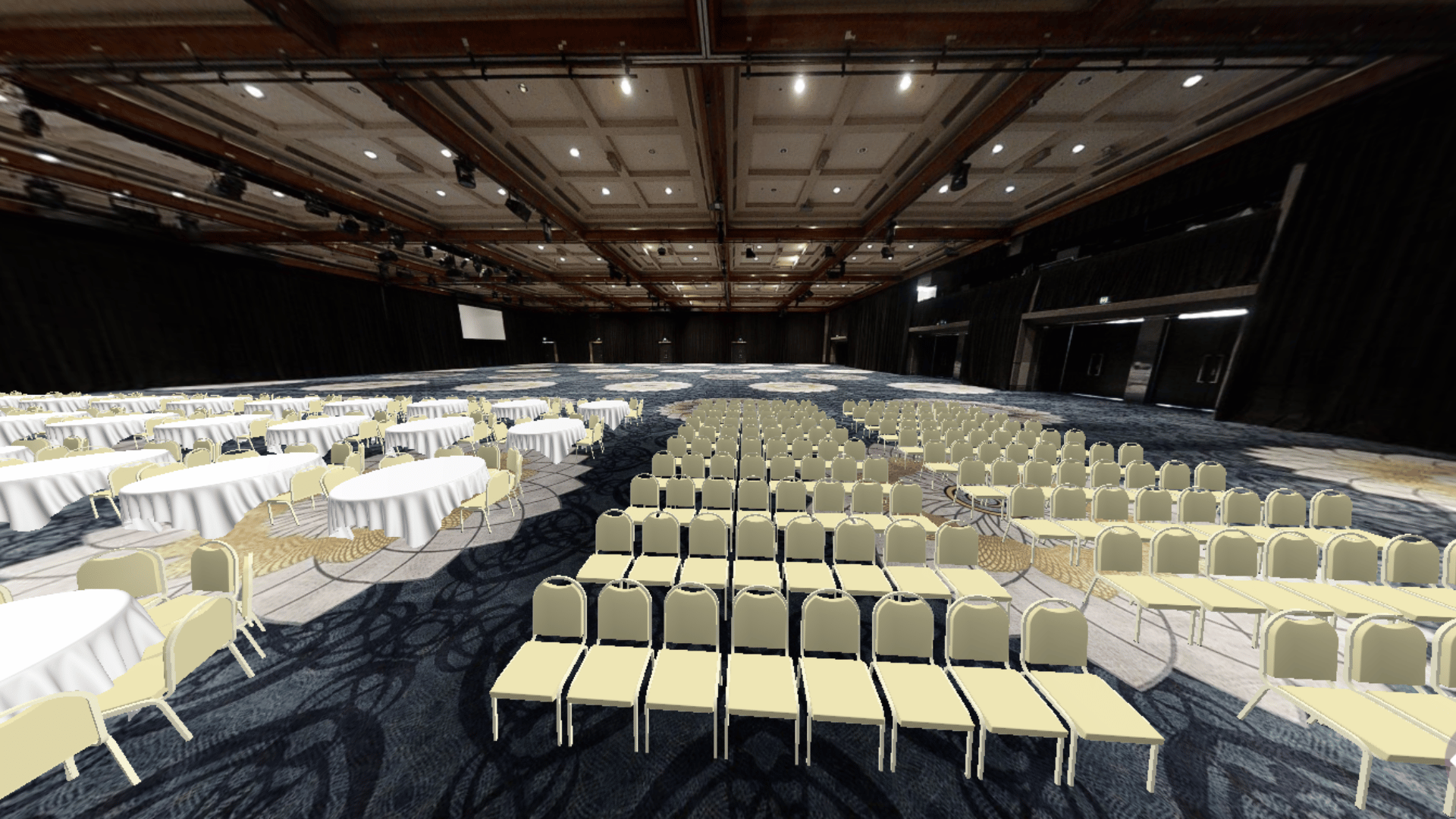
Smart venues don’t rely on static PDFs or hand-sketched layouts. They use event diagramming software to build accurate, professional floor plans in both 2D and 3D transparent formats, giving everyone a clearer view of the layout. 

Teams can drag and drop from thousands of furniture pieces to design everything from banquet setups to stage lighting layouts.
Whether it’s a wedding, conference, or concert, a clear event floor plan helps suppliers, staff, and clients understand the setup instantly without relying on guesswork. 

Plans, including Immersive 3D layouts, can be updated in real time and shared across departments or teams.

One large function centre, for instance, was able to present three floor plan options to a corporate client within an hour using digital diagrams. That simple change helped them close the booking more quickly while keeping the catering team and AV suppliers aligned from the start.


2. IoT and real-time data

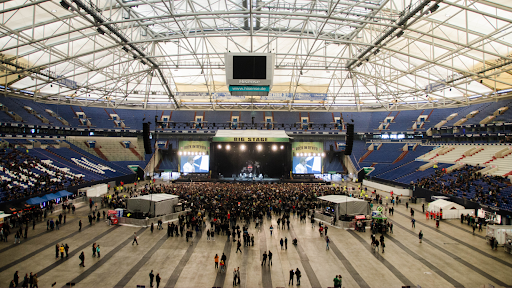
Sensors placed throughout smart venues support real-time event monitoring, tracking data like air quality, crowd flow, and equipment usage.

This information enables teams to make informed, real-time decisions. They can open additional entry points, adjust lighting, or respond more quickly when something isn’t working as expected.

Coachella Valley Music and Arts Festival Photo by: www.coachella.com

3. Mobile apps for communication

An event mobile app supports both attendees and staff before, during, and after events.

Guests can check schedules, view interactive maps, and get updates about timing or access points. Behind the scenes, internal teams can coordinate using live alerts, chat tools, and notifications, eliminating the need for in-person regrouping.

MSG App
Madison Square Garden Official App
Madison Square Garden demonstrates this well. Their mobile app provides guests with personalised updates, real-time parking availability, and shorter concession wait times. These features work together to help keep crowds moving and staff better prepared.

4. Augmented and virtual reality (AR/VR)

AR and VR play a growing role in augmented reality events, helping venues tell a story before a single chair is placed.

Clients can take virtual venue tours, explore seating views, or see how their brand activation might look on a full scale.
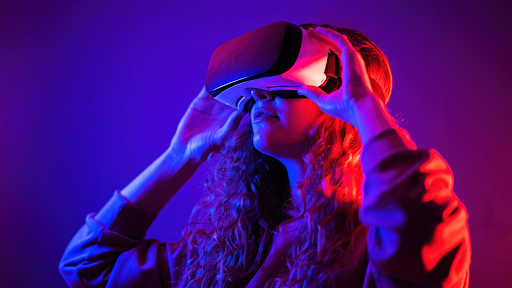
These tools help them feel confident and excited before they even sign off on a setup.

Take Coachella, for instance. The festival blends tech and experience, setting the stage for future-forward formats like virtual reality concerts that extend the live experience beyond physical boundaries. It adds a layer of interaction that enhances attendee engagement, surpassing traditional signage or static programs.

5. Artificial intelligence (AI)

AI tools work alongside venue analytics to personalise the experience for both organisers and attendees. These tools are at the heart of AI event management, where systems can suggest layouts based on past events, recommend crowd flow adjustments, or automate key parts of the setup schedule.

At CES in Las Vegas, AI is used inside the event app to create personalised agendas and suggest sessions or exhibitors based on attendee interests. This turns a massive expo into a curated experience for every visitor.

6. Sustainable venue technology

Sustainable venues are expected to lead the way by using smart systems that reduce environmental impact and improve efficiency.

Many now use smart energy management systems, solar panels, rainwater systems, and energy-efficient lighting.

Others take it a step further by supporting zero waste events, digitally tracking waste output and optimising HVAC usage based on real-time data.
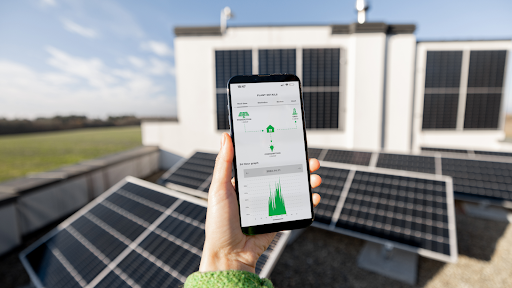
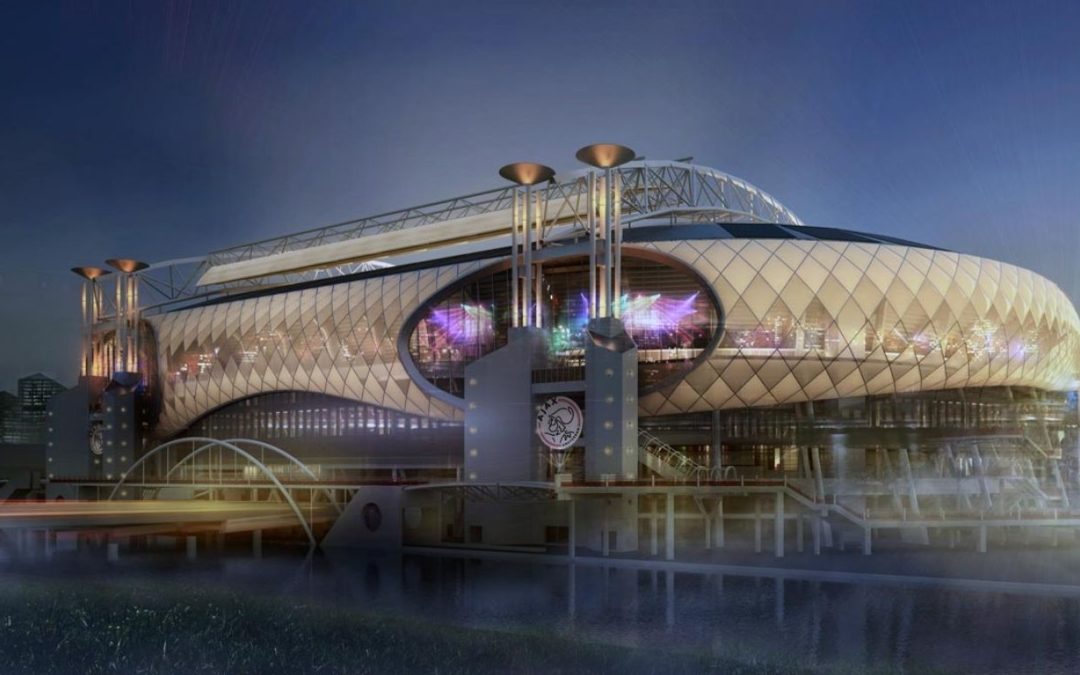
A great example is the Amsterdam ArenA. This stadium incorporates solar power, LED lighting, and an on-site water recycling system, demonstrating how green infrastructure can support major events without compromising performance.

7. Venue management software

Instead of juggling emails, spreadsheets, and sticky notes, a digital venue relies on centralised systems that simplify communication and task management.

These platforms are part of a complete digital event management approach, handling everything from bookings and timelines to vendor communication and room availability.

EventDraw - The Must-have easy to use time-saving solutions for venues and events
One stadium’s events team, for example, manages staff rosters, layout changes, and catering details all from a single dashboard. Even when multiple events are booked back-to-back, the team stays on track without chasing paper trails or rechecking calendars.

The 7 Key Benefits of Using Smart Venue Technology for Better Event Planning

Smart Venue brings teams together, streamlines communication, and supports a more polished, professional experience from start to finish. Whether you’re managing a stadium, styling a wedding, or coordinating internal events, the benefits apply to every type of space and every team involved.

1. Faster and clearer communication

When venue managers, suppliers, and clients can work from the same plan in real time, there’s less room for confusion. Live updates, shared dashboards, and digital collaboration tools reduce the need for constant calls or repeated emails. It keeps everyone aligned without slowing down the process.

2. Better layouts with fewer mistakes

Tools like event diagramming software help you create accurate floor plans in minutes. You can drag and drop from thousands of furniture pieces, use real measurements, and share interactive 2D or 3D layouts. This eliminates guesswork and helps prevent errors in setup or compliance.

3. Centralised venue management

Using venue management software and other event planning tools designed for advanced event management, you can manage venue operations, including bookings, room schedules, staff rosters, and supplier timelines, from a single platform.

This provides a clear overview of all moving parts, reducing the stress of juggling spreadsheets or paper-based plans.

4. More personal guest experiences

Smart venues support audience analytics and real-time data to help tailor the event experience. Whether it’s personalising check-in messages, recommending food options, or adjusting seating zones, small touches make guests feel seen and valued.

5. Smarter crowd management

With live insights from sensors and tracking tools, you can manage foot traffic more easily. Smart venues use this data to reduce congestion, redirect flow, and enhance safety. It helps teams stay ahead rather than reacting too late.

6. Seamless smart ticketing and access

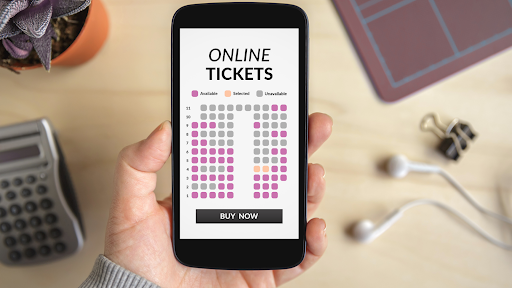
Contactless ticketing, along with other digital ticketing tools, improves the arrival experience by making entry faster and safer.

Attendees receive mobile tickets, check in contact-free, and get real-time updates. This not only cuts queue times but also improves access control and security.
7. Better decisions through event data

A smart venue setup captures valuable data across the entire event lifecycle. From attendance patterns to heat maps and session popularity, these insights help you improve layout design, vendor selection, and marketing strategies in future events.

8. Scalable for any size venue or team

Smart venue systems work just as well in small function rooms as they do in large arenas. Whether you’re running five-person workshops or full stadium shows, the same tools scale with your needs, with no extra effort or complexity.
9. Easier collaboration across departments

From sales and marketing to catering and AV, smart venues give every department access to the same live plan. This removes the silos that often slow things down and makes cross-team coordination much smoother.

10. Stronger client confidence and satisfaction

Clients feel more confident when they can see real-time layouts, clear timelines, and flexible options. This transparency fosters trust and often helps close bookings more quickly, especially when clients feel included in the process.

How EventDraw Powers Smarter Event Planning?

Smart venue technology only works when your planning tools are just as smart. That’s where EventDraw stands out. It gives you everything you need to create accurate, flexible, and visually impressive floor plans. Everything happens faster, with less guesswork and more clarity.

From layout design to real-time collaboration, here’s why EventDraw is essential for bringing smart venues to life.

1. Build accurate 2D and 3D layouts in minutes

With drag-and-drop simplicity, EventDraw lets you design realistic room setups using true-to-scale measurements. You can switch between 2D and 3D views to visualise your layout from every angle. This helps clients and staff clearly understand how the space will look and function before the event.

2. Access over 5,000 furniture shapes

You can choose from thousands of pre-loaded furniture and equipment items, including banquet tables, staging, AV setups, and more. This speeds up your workflow and ensures accurate planning without needing to start from scratch.

3. Design and save your own custom shapes

For venues with specific needs, EventDraw allows you to create and save your own custom furniture, fixtures, or zones. This feature is ideal for layouts that don’t fit the standard mould or require tailored setup options.

4. Collaborate with unlimited users

EventDraw supports unlimited users. This enables teams, clients, stylists, and suppliers to collaborate in real-time. Everyone has access to the same version of the plan, which reduces delays, duplication, and last-minute miscommunication.

5. Update floor plans in real time

Real-time editing is just one feature that supports event automation, allowing you to make layout changes during walkthroughs, client meetings, or setup days.

These updates are instantly available to everyone involved, which helps keep the entire team in sync and confident in the plan.

6. Support any type of event

EventDraw is flexible enough to support every type of event, from weddings and expos to concerts, council-run forums, and Government & Council community events.

Whether the event is big or small, indoors or outdoors, the platform adapts to suit your layout needs.

7. Track seating and guest details

You can label tables, assign guests, and organise zones for catering, VIP access, or security, all while supporting seamless event attendee tracking across the venue.

This makes it easier to manage crowd movement, assist with ticketing, and ensure a smoother experience for attendees and suppliers.

8. No lock-in contracts

With EventDraw, you are free to use the software as much or as little as you need. There are no long-term contracts, allowing you to scale your usage up or down to suit your venue’s workflow and event calendar.
9. Scales with your venue

Whether you create a few layouts each month or manage thousands per year, EventDraw is designed to keep up. It supports both large and small venues and is designed to handle growing event portfolios without slowing you down.

10. Seamlessly fits into your smart venue ecosystem

EventDraw complements the rest of your event technology stack. It works alongside venue management software, event planning tools, smart ticketing systems, and other digital solutions, helping to connect every part of the planning process in one visual hub.

Final Thoughts: Looking Ahead at the Future of Smart Venues

Smart venues are no longer a concept for tomorrow. They are already reshaping how we plan, manage, and deliver better live events. To operate at this level, it is not just about having connected systems; it is also about having a unified approach to management. It’s about having the right event planning tools that help your team work clearly and confidently from the very start.

So here’s the question:

If your space has the potential to be a smart venue, what’s holding it back from realising its full potential?

Are outdated diagrams, slow approvals, or layout miscommunications still part of your process?

EventDraw combines all the features of leading-edge event diagramming software into a single platform. It complements your broader event technology stack, works seamlessly alongside your venue management software, and provides your team with the flexibility to adapt, scale, and deliver improved results. 

Most importantly, it does this without adding complexity to your workflow. As the industry continues to evolve, so do the expectations of clients, attendees, and internal teams. 

The future belongs to venues that can plan faster, collaborate more easily, and make smarter decisions by leveraging tools like event data analytics and other smart venue technologies.

If you’re ready to step into that future with clarity, confidence, and complete visual control, now is the perfect time to make EventDraw part of your smart venue toolkit.
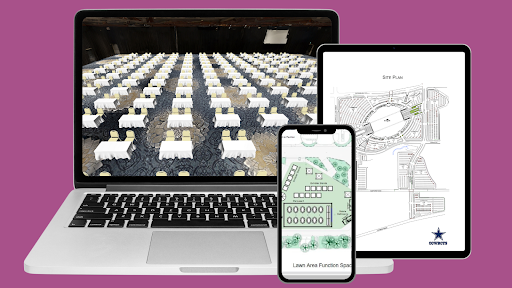
Request a demo with our team today and discover how EventDraw can streamline your planning, enhance collaboration, and bring your smart venue to life.

Frequently Asked Questions

1. What are the most important features of a smart venue?

A smart venue includes connected tools like event diagramming software, IoT sensors, smart ticketing systems, and venue management platforms. These features help improve communication, planning accuracy, and overall guest experience.

2. Can a small venue become a smart venue?

Yes. Smart venue technology scales easily, so small spaces like community halls or boutique function rooms can still benefit from tools like event diagramming software, mobile apps, and digital check-ins without needing a large investment.

3. What’s the difference between event diagramming software and venue management software?

Venue management software helps with bookings, calendars, and resource allocation. Event diagramming software focuses on planning tools, real-time updates, and visual layout design, often including features like 2D/3D floor plans, collaboration, and live edits.

4. Do smart venues help with sustainability?

Absolutely. Smart venues often include energy-efficient systems, digital signage, and waste tracking. Tools like EventDraw also reduce printing, rework, and physical walkthroughs by allowing everything to be handled digitally.

5. How does smart venue technology support hybrid or virtual events?

Smart venues can integrate with AR/VR platforms, live-streaming tools, and digital access systems. This allows planners to design spaces that support both in-person and virtual guests, creating a seamless experience for both.

6. What role does crowd management play in a smart venue?

Crowd management is essential. Smart venues utilise real-time data to monitor traffic flow, identify bottlenecks, and make on-the-fly adjustments to layouts or staffing. This keeps guests safe and improves traffic across event spaces.
7. Can smart venue tools help with compliance and safety?

Yes. With digital planning tools and live updates, venues can ensure layout designs meet safety standards, emergency access rules, and distancing guidelines, all with clear records for compliance checks.

8. How does event diagramming software improve client presentations?

With interactive 2D and 3D layouts, planners can show clients multiple layout options, real-time edits, and detailed setups. This builds confidence, shortens approval times, and helps close bookings faster.

9. What kind of training is required to use smart venue platforms like EventDraw?

Very little. Most modern platforms are designed with user-friendly interfaces, drag-and-drop functionality, and online support. Teams can start planning with confidence in just a few clicks, and there’s no complex setup needed.

10. How does smart venue technology improve ROI for venues?

By reducing time spent on revisions, improving booking conversion, and preventing costly errors, smart venue tools like EventDraw directly improve team efficiency, client satisfaction, and overall profitability.

11. What are hybrid event venues?

Hybrid event venues are spaces equipped to host both in-person and virtual experiences simultaneously. They often utilize tools such as AR/VR, smart ticketing, AI, and event diagramming software to ensure that all attendees, whether remote or on-site, have a connected and seamless experience.

11 Must-Have Tools for Event Management Automation

11 Must-Have Tools for Event Management Automation

Are you constantly juggling bookings, layouts, and endless guest lists?

It can feel like trying to build a puzzle with missing pieces, especially when you’re racing against the clock.

Event planning moves quickly. You’re expected to manage everything precisely, from last-minute venue changes to demanding client expectations. The pressure to deliver is constant, whether you’re organising a Government & Council briefing, a wedding at a Conference Centre, or a massive Stadium and Arena event.

At the same time, digitisation continues to evolve. As Skift Meetings notes in The Future of Mindful Events, “The future of events lies in creating meaningful personal connections. Therefore, technology should enhance, rather than replace, human interactions, making them more valuable and intentional.”

This is precisely where event management automation becomes a game-changer.

So, how do some planners seem to have it all under control?

You know the pressure. You’ve felt the chaos.

But what if you could eliminate the repetitive tasks and focus more on creating standout moments for your clients and guests?

Before we jump into the tools, let’s get clear on one thing:

What exactly is event management automation, and why is it changing the way events are planned?

What is Event Management Automation?

Event management automation refers to the use of digital tools to streamline event planning, management, and delivery.

It connects systems such as event management, event planning, and venue management software to help handle repetitive, time-sensitive, or detail-intensive tasks.

These tools support a wide range of activities, including:

  • ✅ Automatically updating the guest list when registrations change
  • ✅ Managing event registration without the need for manual follow-up
  • ✅ Creating and adjusting event floor plans with accuracy
  • ✅ Coordinating bookings, spaces, and equipment using venue management tools
  • ✅ Setting up seating arrangements based on event type and layout
  • ✅ Hosting sessions or entire programs through a virtual event platform

Automation doesn’t take over the creative side of planning. Instead, it removes delays, reduces mistakes, and frees up time for you and your team to focus on what makes an event seamless.

This type of support is especially helpful in high-demand environments, such as government and council functions, Convention and Exhibition Centres, Stadium and Arena events, and wedding and conference centre bookings.

As events grow in size and complexity, automation is becoming a central part of how venues and planners maintain efficiency, consistency, and preparedness.

Now that you understand event management automation, the next step is to choose the right tools to support your process.

With numerous options available, it can be challenging to know where to start.

That’s why we’ve compiled a list of 11 essential tools, each designed to streamline your workflow, enhance collaboration, and ensure your events run smoothly.

11 Must-Have Tools for Event Management Automation

The right tools don’t just save time; they also enhance productivity. They help you deliver a smoother, more innovative, and more enjoyable event planning experience.

Whether you’re organising a corporate summit, coordinating a Government & Council function, or setting up a concert at a Stadium and Arena venue, these tools give you a reliable system to work with from start to finish.

1. Event Management Software: Your Central Planning Hub

Event management software acts as the foundation of your planning process. It combines all your event details in one place, making it easier to manage every stage with confidence.

You can:

  • ✅  Assign and track tasks across your team


  • ✅  Monitor budgets and spending in real time


  • ✅  Coordinate vendor timelines and responsibilities


  • ✅  Store guest details, preferences, and dietary requirements


  • ✅  Maintain communication logs and update schedules instantly


This tool is handy for events with multiple moving parts. For example, a Performing Arts festival may involve multiple performance times, stage changes, and lighting crews, all of which can be tracked and adjusted in a single shared dashboard.

Likewise, Convention and Exhibition Centres hosting back-to-back expos or large-scale conferences can benefit from a centralised view of space bookings, exhibitor details, and keynote scheduling

2. Venue Management Software: Stay Organised and On Schedule

Venue management software helps venue operators manage bookings, resources, and room availability with accuracy and ease. Rather than juggling spreadsheets or cross-checking calendars, this tool gives you a real-time view of what’s happening across your entire space.

You can:

  • ✅  Automate room bookings and confirmations


  • ✅  View space availability across days, weeks, or months


  • ✅  Allocate equipment, staff, or catering needs to each booking


  • ✅  Prevent scheduling conflicts and double-bookings


  • ✅  Coordinate with multiple departments or service teams


This type of system is significant for venues with high turnover or shared-use spaces. For example, a government and council facility may host a community meeting in one room, run a training session in another, and prepare for a public forum in the evening. 

With venue management software in place, your team can coordinate services, set-ups, and cleaning schedules more efficiently.

In the same way, wedding and conference centres benefit from having all bookings, seating plans, and supplier requirements accessible in one organised platform. This is particularly useful when managing several functions across the same weekend.

3. Event Planning Software: Keep Your Process on Track

Event planning software provides a structured approach for every stage of your planning journey. Instead of relying on scattered notes, email threads, and guesswork, this tool gives you a streamlined, visual system to track what needs to happen and when.

With this software, you can:

  • ✅  Build and manage timelines with clear deadlines

  • ✅  Assign tasks to team members and monitor progress

  • ✅  Organise vendor details and contract approvals

  • ✅  Store contact lists, floor plans, and documents in one place

  • ✅  Centralise communications to reduce confusion

This is particularly helpful for planners managing recurring or multi-day events. For instance, a Performing Arts festival may involve rehearsals, venue changes, media launches, and logistics for opening night. 

With an event planning platform, all moving parts can be scheduled and tracked clearly.

Similarly, corporate teams hosting a product launch or roadshow can benefit from shared dashboards and automated checklists that keep everyone aligned across different departments or locations.

4. Event Registration Platforms: Automate Sign-Ups and Check-Ins

Managing registrations manually can quickly become overwhelming, especially as numbers grow. Event registration platforms take the pressure off by automating the entire sign-up process, from initial interest through to on-site check-in.

With these tools, you can:

  • ✅  Create custom registration forms for different ticket types or guest groups

  • ✅  Send automated confirmation emails and reminders

  • ✅  Track attendee status in real time

  • ✅  Manage cancellations and waitlists with ease

  • ✅  Integrate with your guest list, seating plans, or CRM system

This approach works well for everything from small workshops to large-scale conventions. For example, a Convention and Exhibition Centre may host thousands of guests across multiple sessions. Using an automated system ensures each guest receives the right access pass, session links, and important updates.

Similarly, Wedding / Conference Centers can collect dietary requirements, seating preferences, and RSVP details all in one place, allowing staff to prepare more accurately and personalise the experience.

By taking sign-ups online and automating the process, you gain time back, reduce human error, and create a smoother journey for every guest.

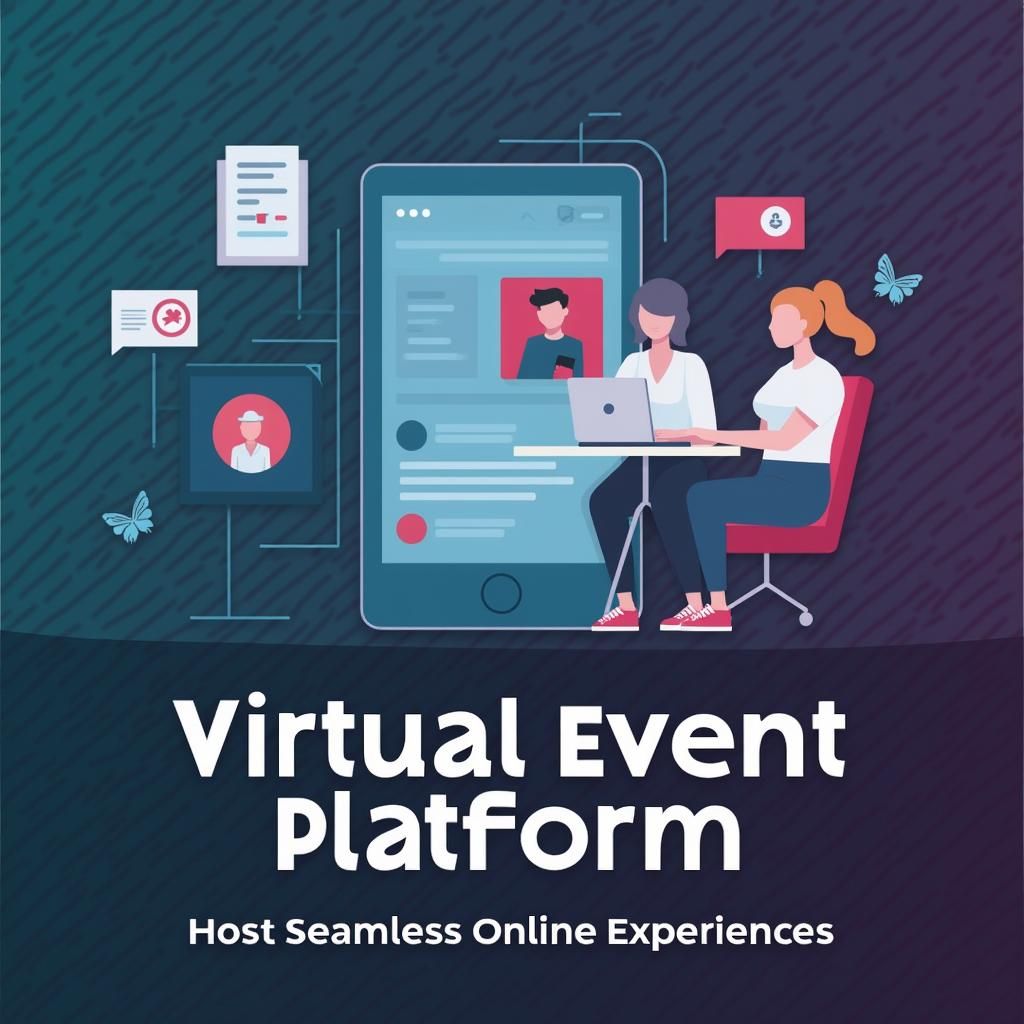
5. Virtual Event Platform: Host Seamless Online Experiences

As hybrid and online events continue to grow, a reliable virtual event platform is essential. It enables you to host professional, engaging, and interactive experiences for attendees, regardless of their location.

These platforms allow you to:

  • ✅  Stream keynote sessions, panels, and performances live or on-demand 
  • ✅  Offer virtual breakout rooms for networking or workshops 
  • ✅  Enable live chat, Q&A sessions, and real-time polling 
  • ✅  Share resources, agendas, and speaker bios in one central place 
  • ✅  Track attendance and engagement analytics throughout the event 

This is especially valuable for events with a broad reach, such as education summits, remote training sessions, or Performing Arts showcases streamed to the public. 

For example, a Universe & Higher Education webinar series can run multiple sessions across different time zones while maintaining a consistent experience for all participants.

Likewise, a corporate conference may incorporate both physical and virtual elements, allowing guests to choose between attending in person or online. The platform ensures everyone has access to the same content, interactions, and support, regardless of location.

6. Attendee Engagement Tools: Build Connections That Last

Keeping attendees engaged isn’t just a nice-to-have. It shapes how people remember your event. Attendee engagement tools enable you to create interactive, two-way experiences that extend beyond passive viewing or attendance.

These tools can help you:

  • ✅  Launch event apps with schedules, maps, and updates
  • ✅  Run live polls, quizzes, or Q&A sessions during key moments
  • ✅  Send push notifications to keep guests informed and involved
  • ✅  Encourage networking through chat groups or virtual lounges
  • ✅  Collect real-time feedback as the event unfolds

These features are handy for high-energy events, such as stadium and Arena functions, or multi-day exhibitions held in Convention and Exhibition Centres. 

At a product launch or trade event, guests may use live polls to vote on which demo they would like to see next, or they may submit questions directly to speakers during presentations.

In a different setting, Performing Arts festivals often rely on mobile apps to deliver real-time updates, showcase behind-the-scenes content, and gather feedback through short post-show surveys. This keeps audiences involved even after the curtain falls.


7. Marketing Automation Software: Save Time While Reaching More People

Getting the word out about your event takes time and effort. However, with marketing automation software, you can handle outreach more efficiently and stay in front of your audience without manually sending every message or post.

These tools allow you to:

  • ✅  Create automated email campaigns for different audience segments


  • ✅  Schedule social media content in advance


  • ✅  Organise your contact list based on behaviour, interest, or role


  • ✅  Track engagement and see what’s working in real time


  • ✅  Trigger reminders and follow-ups automatically


For example, a Casino Resort planning a mid-year gala might use automation to send save-the-date emails, follow up with early bird offers, and schedule final reminders, all without lifting a finger on the day.

In another case, a Performing Arts venue promoting a season of shows could send tailored updates to subscribers, promote specific performances, and boost last-minute bookings with pre-scheduled emails and posts.

8. Feedback and Analytics Tools: Learn From Every Event

Your event might be over, but the learning doesn’t stop there. With feedback and analytics tools, you can capture valuable insights that help you improve planning, delivery, and overall guest experience next time.

These tools allow you to:

  • ✅  Distribute post-event surveys automatically


  • ✅  Collect ratings on speakers, sessions, or venue facilities


  • ✅  Monitor check-in data and attendance across sessions


  • ✅  Measure satisfaction and engagement in real time


  • ✅  Compare performance across multiple events


For example, a Convention and Exhibition Centre hosting a multi-day expo can utilise feedback tools to identify which sessions drew the most attention or which areas had the highest foot traffic.

In a different setting, a Universe & Higher Education event might gather attendee feedback to refine academic content or enhance speaker delivery for future symposiums.


9. Project and Task Management Tools: Keep Your Team on Target

Every successful event starts with a solid plan. Project and task management tools help you organise your workflow, assign responsibilities, and keep everything moving forward, without the need for endless check-ins or scattered to-do lists.

These tools make it easier to:

  • ✅  Break down your event into manageable tasks and milestones


  • ✅  Assign responsibilities to individuals or teams


  • ✅  Track progress in real time with visual dashboards


  • ✅  Set reminders, due dates, and priority levels


  • ✅  Share files, notes, and updates in one place


Let’s say you’re managing a Stadium and Arena event with multiple performers, suppliers, and teams. A task management tool enables each group to view their deliverables, track timelines, and respond to updates in a timely manner.

Similarly, a wedding or conference centre coordinating multiple vendors for back-to-back events can benefit from shared task boards. This ensures that everyone, from florists to AV technicians, knows what is expected and when.


10. CRM Systems: Build Stronger Client Relationships

When it comes to managing leads, bookings, and long-term clients, a customer relationship management (CRM) system gives you the tools to stay organised and responsive throughout the entire journey.

With a CRM in place, you can:

  • ✅  Keep track of enquiries, follow-ups, and booking history


  • ✅  Store contact details, notes, and client preferences


  • ✅  Automate communication such as quotes, reminders, and thank-you messages


  • ✅  Set up workflows to manage repeat business or referrals


  • ✅  Monitor your sales pipeline and see where each client stands


For example, a wedding or conference centre that handles dozens of enquiries per week can use a CRM to personalise communication, log special requests, and ensure nothing gets missed between initial contact and the event day.

Similarly, a government and council facility managing seasonal programs or community events can track recurring organisers, streamline follow-ups, and maintain strong ongoing partnerships.


11. Event Diagramming Software: Visualise and Perfect Your Layout

Planning the layout of your event space is more than just placing tables and chairs, it’s about creating flow, maximising space, and helping every guest feel comfortable and welcome. This is where event diagramming software becomes essential.

Boost earnings by $270,000 through the addition of a single table

Boost earnings by $270,000 through the addition of a single table

Can you imagine increasing revenue $270000 per annum by adding just 1 additional table in your function and event space.

It’s true, $270,000 in additional revenue from 1 extra table!

How is that possible? Well, maximising your space using Event Diagramming Software, this is how it’s achieved!

This guide talks through a basic event floor plan and how event management software can simplify your processes.

Let’s Discuss “How This Can Be Done”

Event Diagraming & Floor Plan Software allows you to test event layouts in your function space without the need for your staff to set up the room. Think of it this way, it gives you an incredible top-down view of your space. It’s like flying 50 feet above your space and visually seeing the best use of space.

Although this is only the start, Event Diagramming & Floor Plan Software has features to ensure correct spacing between your tables and also the correct distance from walls and building elements before you place down your first table.

In many cases, changing 5% of the tables on the floor plan from 1.8 meter to 1.6m can increase the capacity of your event. It’s amazing how you can play with various scenarios and gain more tables in your space, but you can also increase your space between tables to what you typically could use.

So, let’s take an industry standard of 1.35 metres between table edges. This is a common practise and allows ok room for waiters and guests to navigate between tables. If you change just a few tables to a different size, you can increase your spacing to 1.40 metres between tables but also add 3 additional tables to the event. For a 1.6m table, we may change from 10 pax to 8 pax.

Since 1998 and with thousands of client spaces, we are yet to find one venue who has not seen an increase in capacity or revenue, sometimes they are at capacity but after testing various layouts, have determined that the existing “max capacity” charts are incorrect. 

Now, let’s talk about getting $270,000 in additional revenue from 1 extra table…

Look at this example below:

Wedding Venue: $270,000 in additional revenue from 1 additional table.

How?

A 1.8m (6 ft) round table can seat between 10-12 guests.

For this example, let’s use 10 pax per sitting.

An average cost per head – wedding/event – $130.00

Total revenue generated in one sitting $1300.00

Average number of events per week 4 (wedding, function venue, stadium or restaurant)

Total revenue generated in one week = $5200.00

Per week $5200.00 x 52 weeks per year = $270,400

That’s $270,000 in additional revenue using 1 more 1.8m Table!

The math is simple and finding space for that additional table can be easier. 

Event Floor Plan Software is an easy-to-use software where event planners and venues design customized floor plans, such as dinner-dance, theatre, cocktail & classroom-style layouts. 

By providing event visualization you can experience new configurations of your event before they even take place.

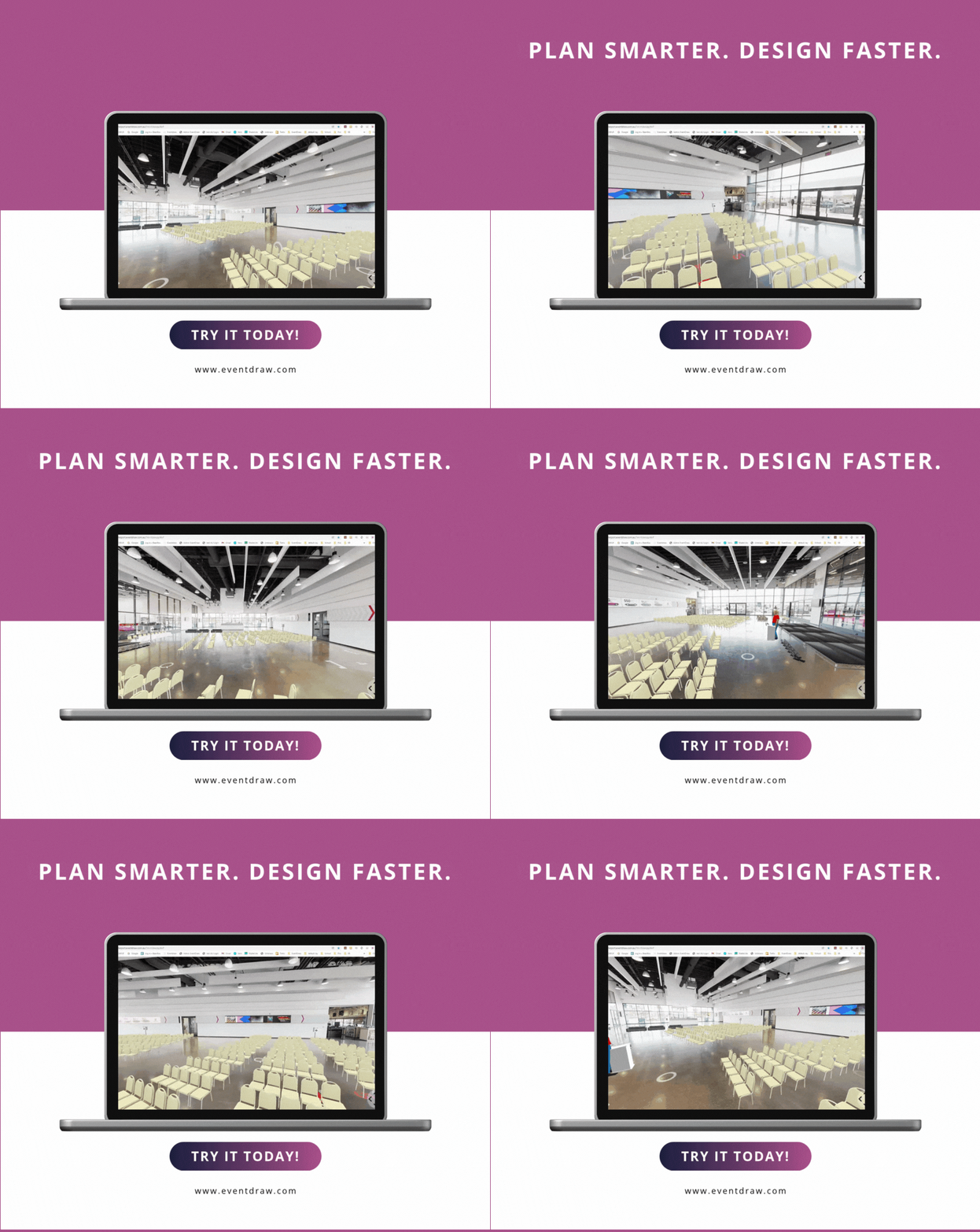
To take this a step further, with Immersive 3D, you can test different layouts and also view that layout while looking at your venue space in full 3D.

You can walk around the venue with your clients, using the floor plan right down to the table cloth, and colour used for their event. You can also move the tables, test whether a rectangle, round or maybe oval table can increase your capacity.

Therefore, Event Diagramming Software is a time-saving tool that will increase your revenue. The perfect solution to floor plan struggles!

And with EventDraw’s 3D virtual tours, you can improve your client’s experience, increase customer satisfaction, and increase revenue.

Contact us now and let us help you increase your revenue!